
How Can I Edit My Company Directory Profile?
You can update your profile in two ways.
Through My Account
1. Log in to the portal.
2. From the sidebar menu, click “My Account.”
3. Click the “click here” link to navigate to the Company Directory page. 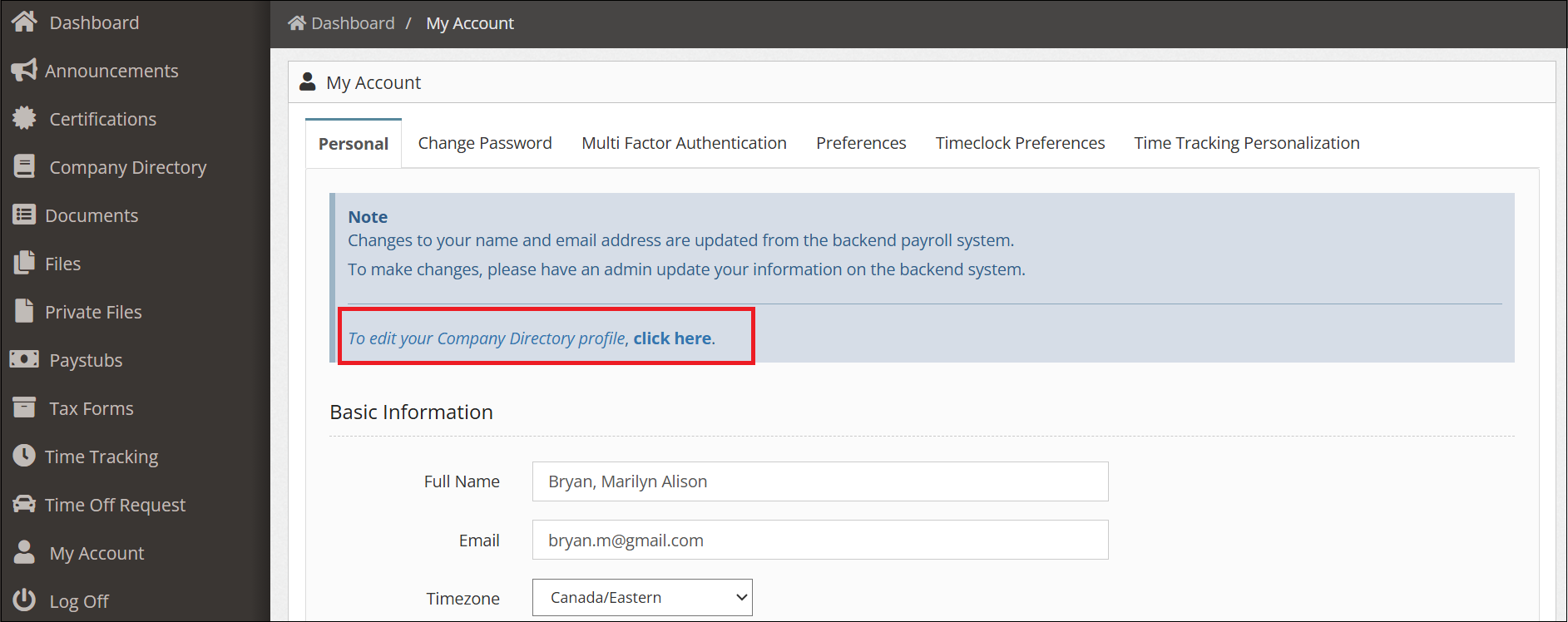
4. Search for your Name.
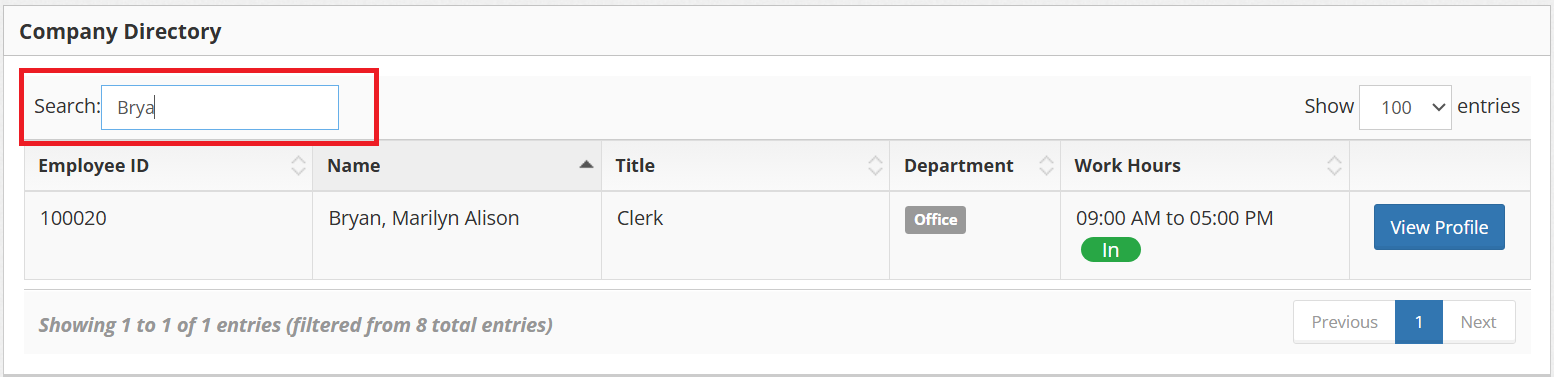
5. Click ‘View Profile’.
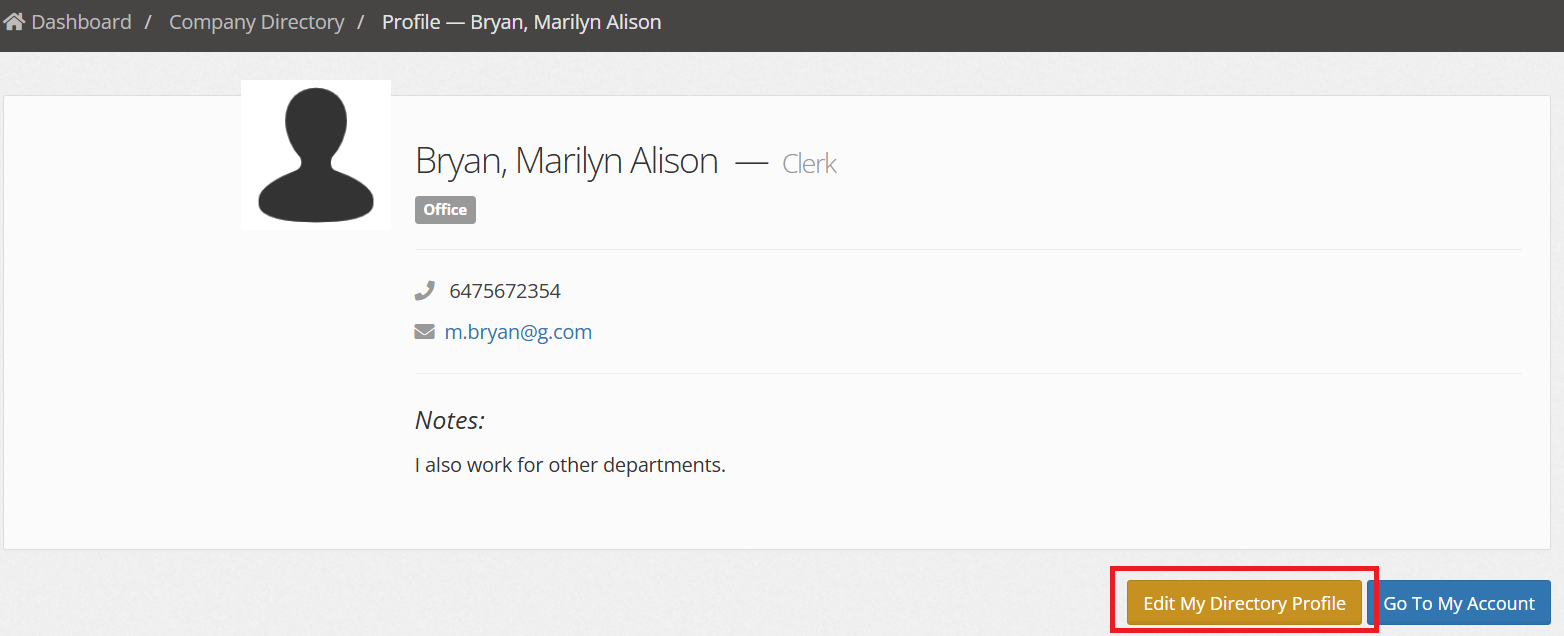
6. Click ‘Edit My Directory Profile’.
7. Fill in your details
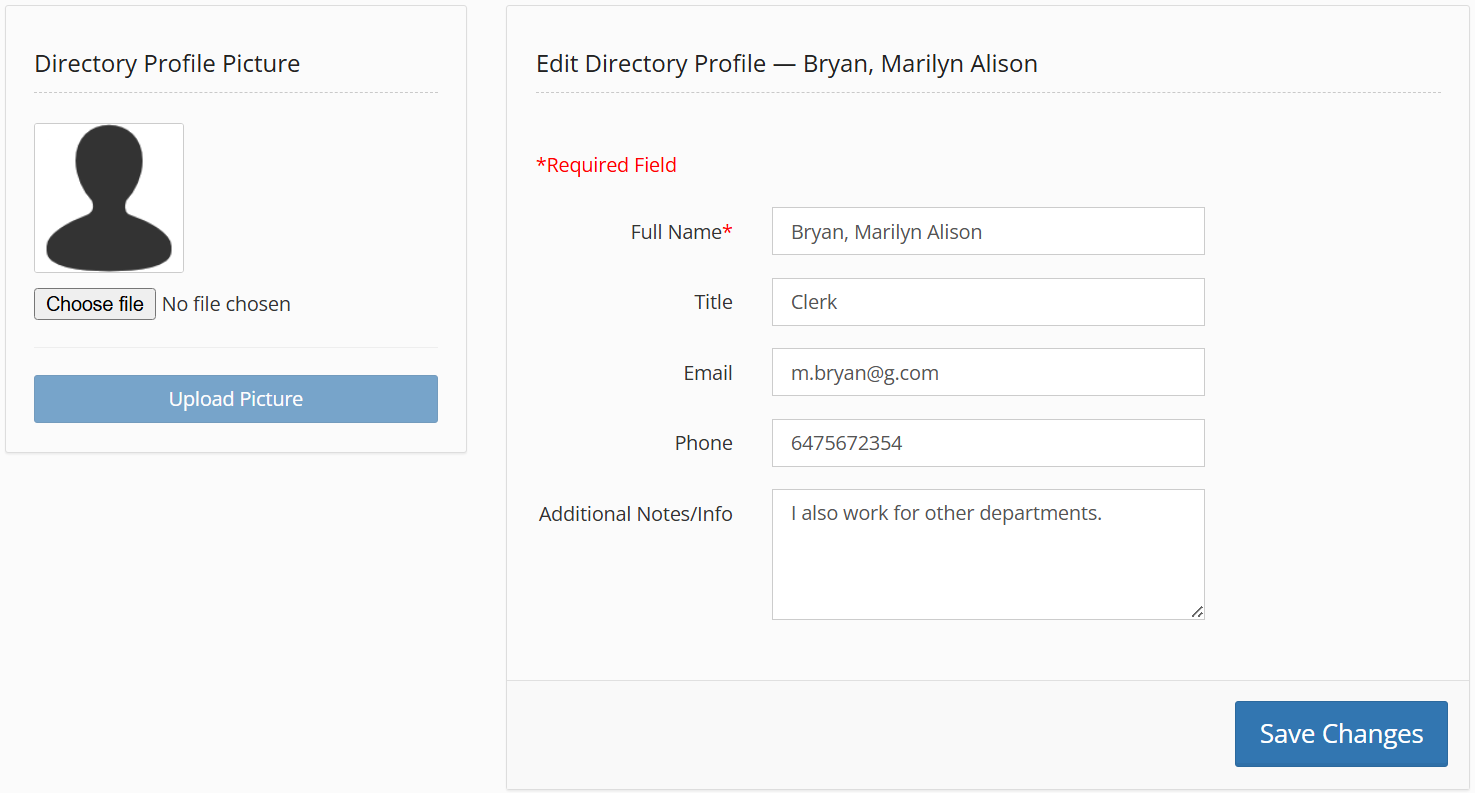
8. Click ‘Save Changes’.
Through Company Directory
1. Log in to the portal.
2. From the sidebar menu, click “Company Directory”.
3. Perform steps 4 to 8 above.