How to Request Account Cancellation
Here’s a Quick Guide for Requesting an Account Cancellation.
1. Log in to your portal (e.g., yourcompany.instaff.org) as an Administrator.
2. From the left-hand menu, go to Admin, then select Billing.
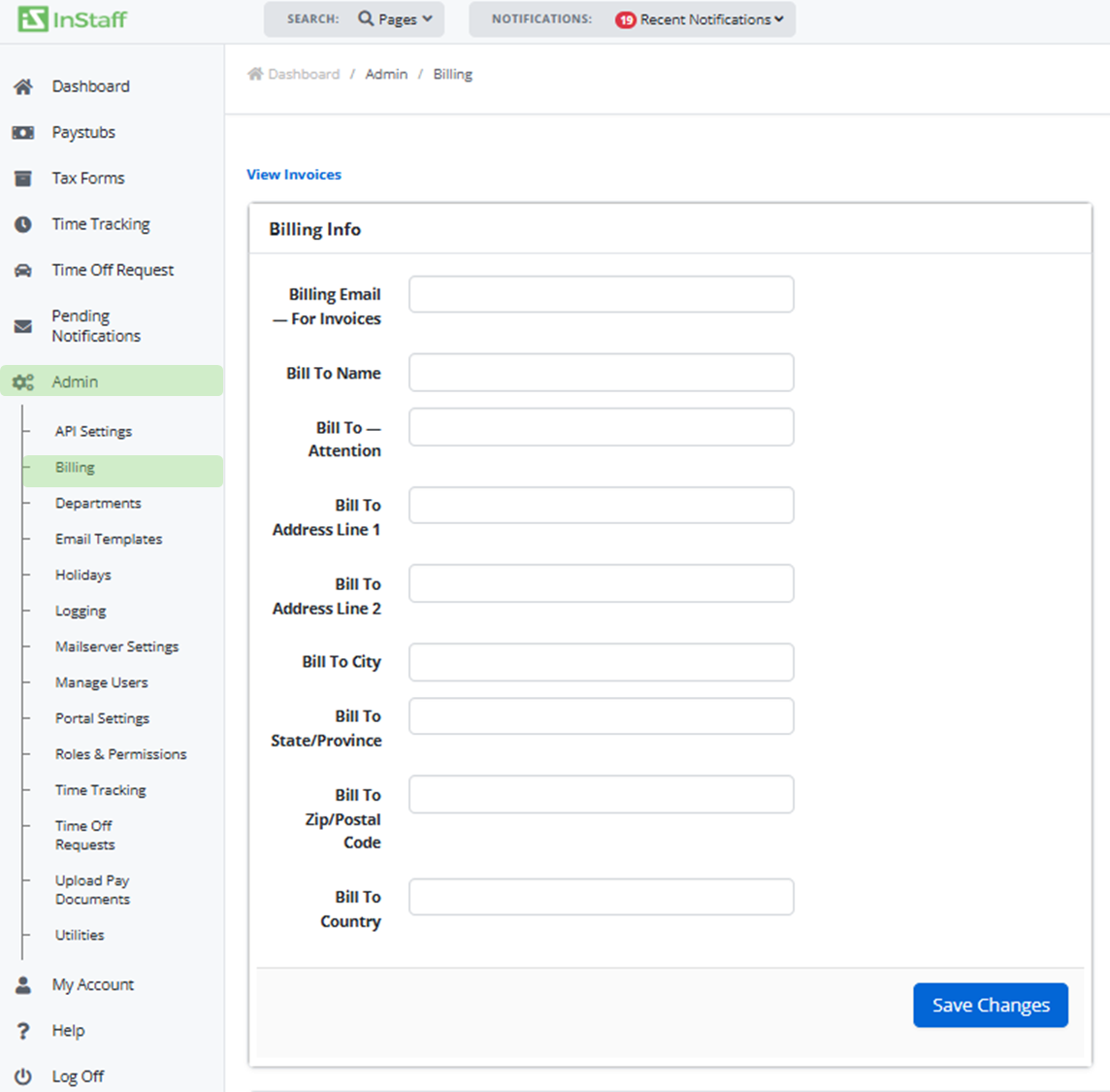
3. Scroll down and under Cancel Account, click Request Account Cancellation.

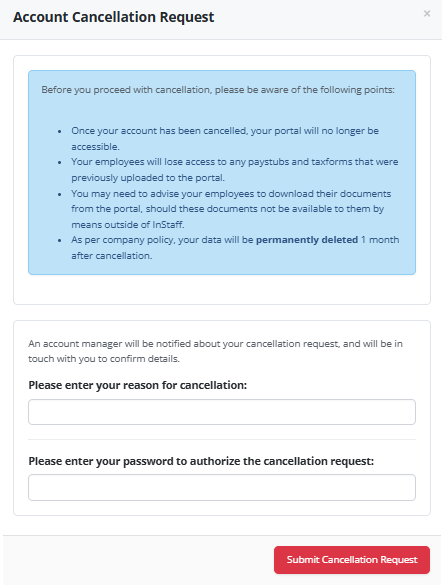
4. A prompt window will appear, please complete the required details and click on Submit Cancellation Request to proceed.