
Deleting A Pay Document
1. Login as an admin user.
2. Proceed to Admin then Utilities > Delete Pay Documents.
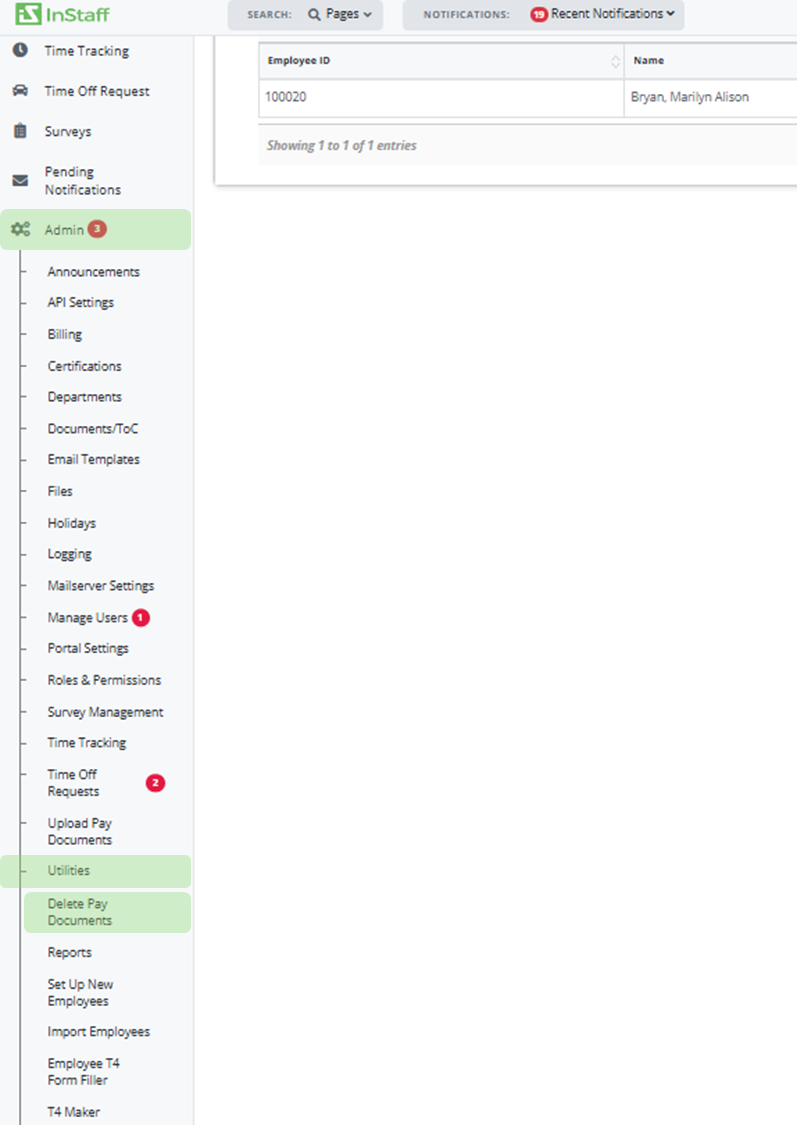
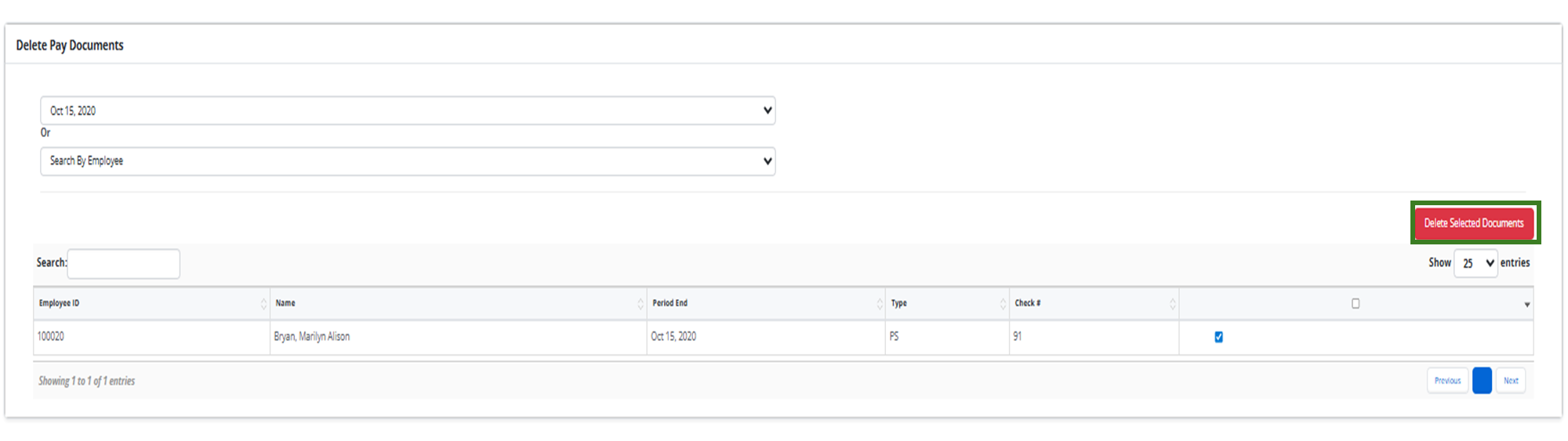
3. Enter in a Period End Date or Employee using the dropdowns.
4. Select the documents you intend to delete.
5. Click Delete Selected Documents;
6. Confirm selected documents are what you wish to delete (Note: Documents deleted cannot be recovered.)
7. Enter admin login password;
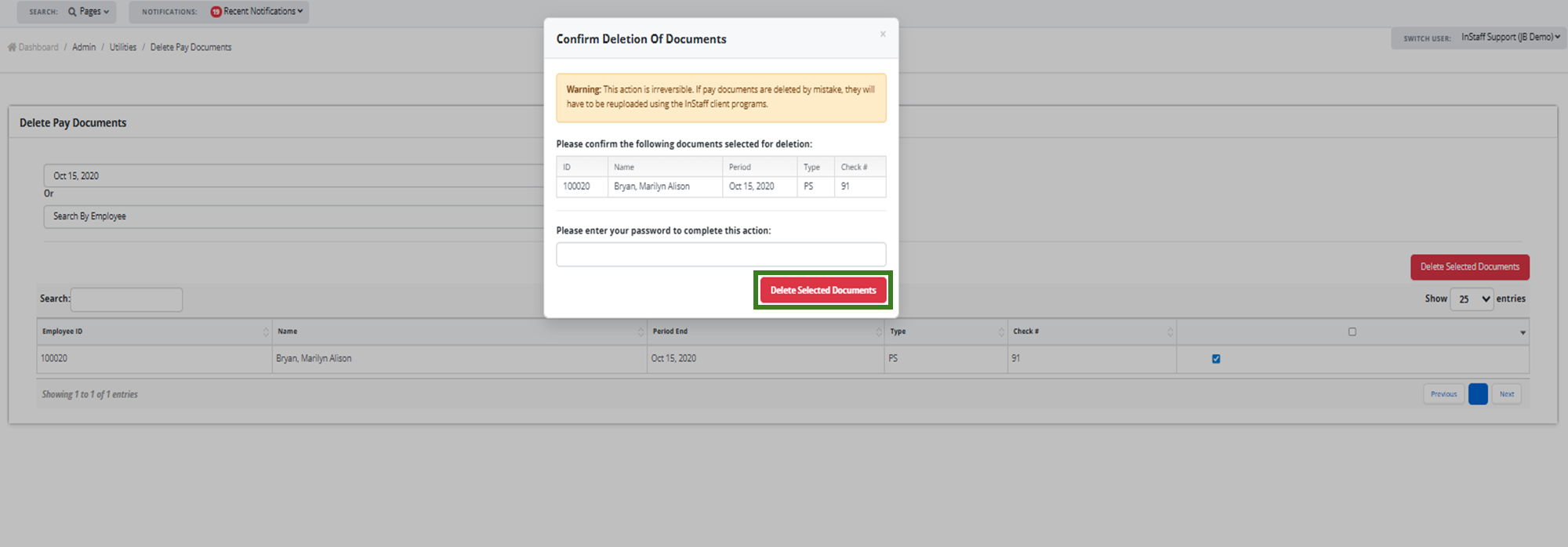
8. Click Delete Selected Documents.