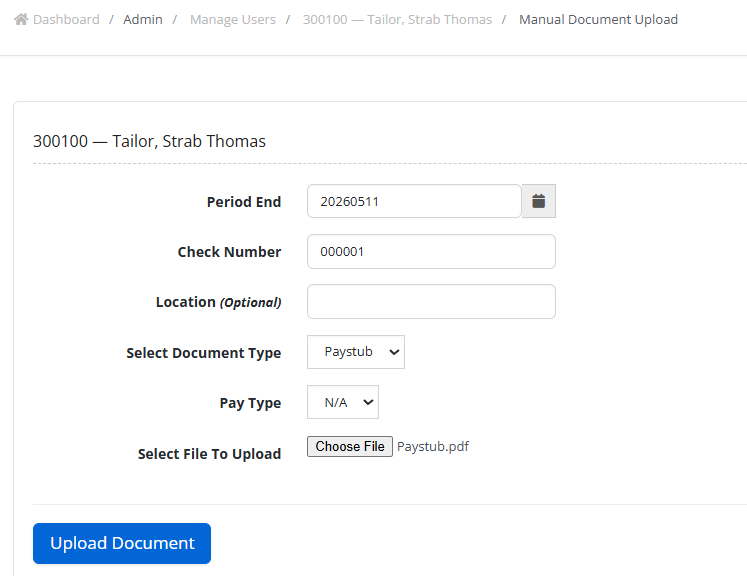
Manually Uploading A Single Employee’s Pay Documents
1. Login as an admin user.
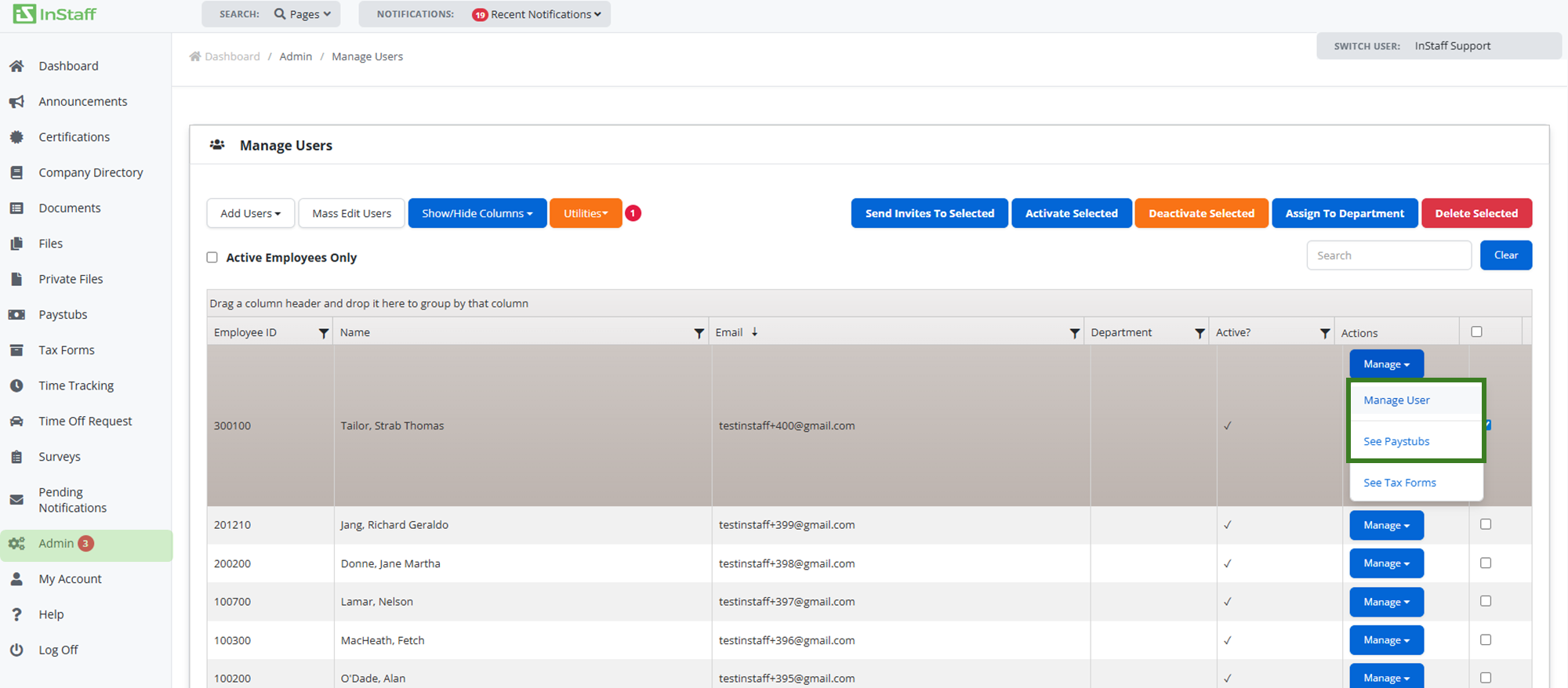
2. Proceed to Admin then Manage Users.
3. Search the employee profile;
- You can search for the employee or scroll down to find them
4. Click Manage User on the selected employee.
5. Click Upload Document Manually.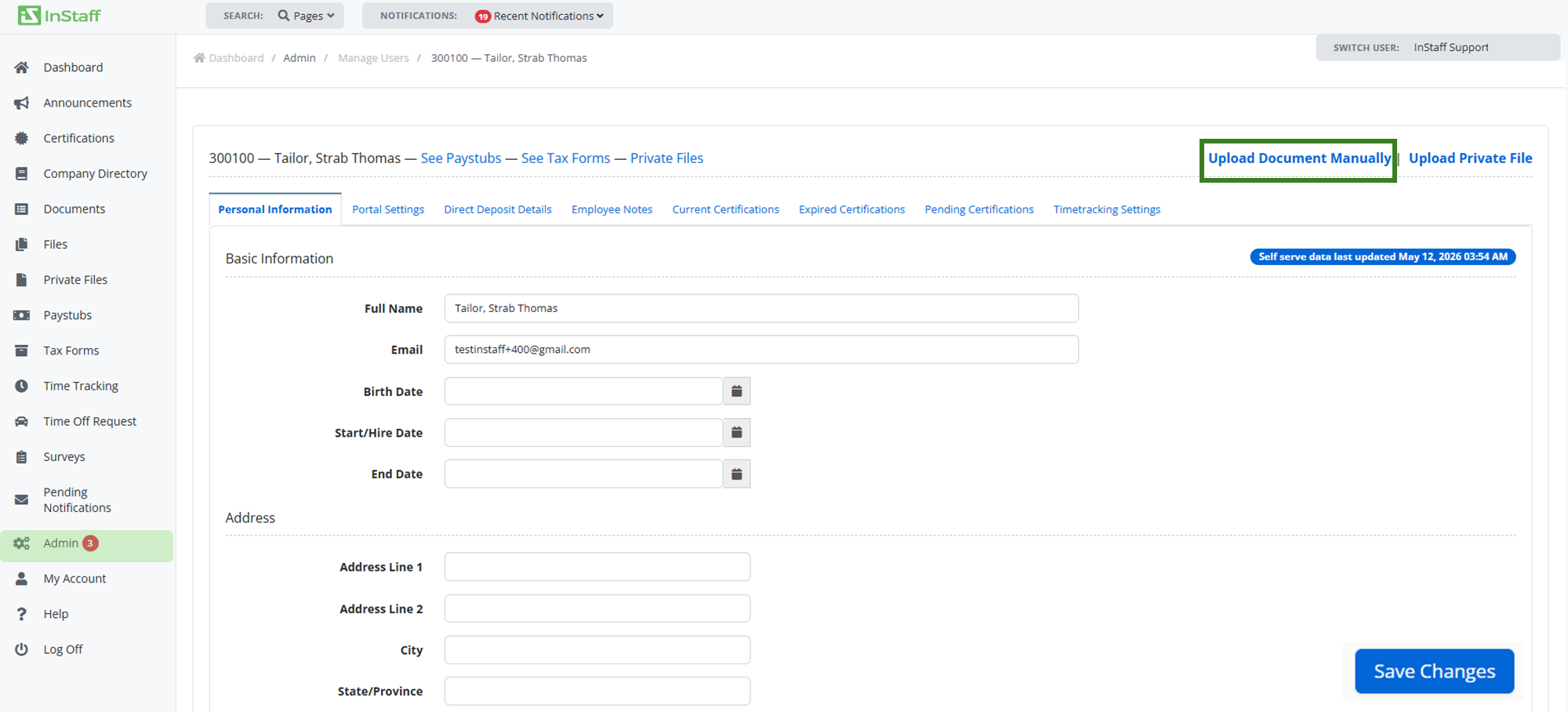
6. Input the following information:
- Period End
- Cheque Number
- Location (Optional)
- Document Type
- Select the file to Upload
7. Click Upload Document.