
Updating an Employee’s Time Off Balance – Administrator’s Guide
- Log in to your portal (e.g., yourcompany.instaff.org) as an Administrator.
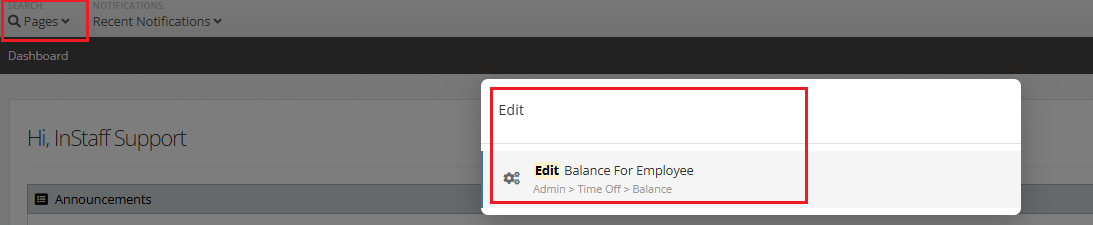
- Go to Search Pages, search for Edit Balance for Employees.
-
From ‘Edit Time Off Balance For Employee page’, select the following:
Employee – Choose the employee whose balance you want to update.
Type – Select the time off type for which the balance will be updated.
New Balance As Of Date – Set the effective date of the new balance.
New Total Balance – Enter the updated time off balance.
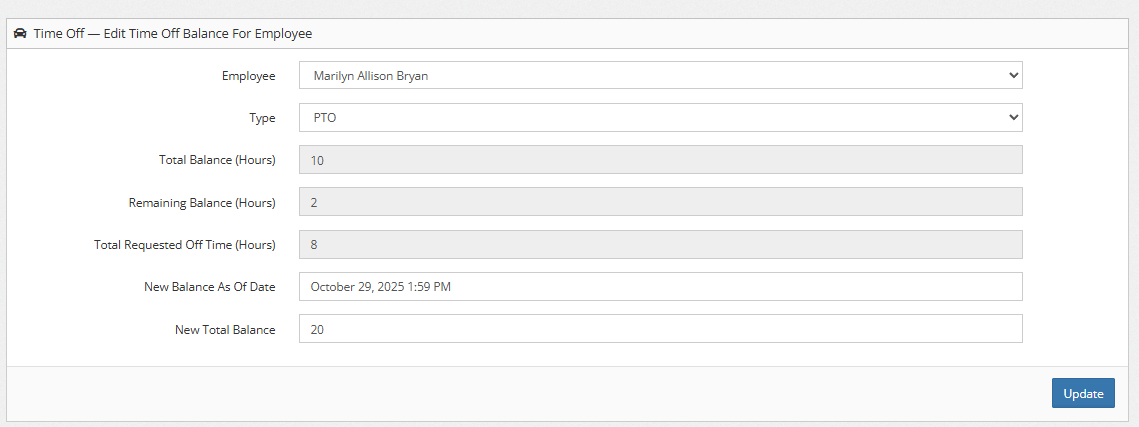
4. Click Update.