
Bulk Download
Bulk download allows you to download multiple files at once, saving time and effort. This guide will show you how to select and download several files in just a few clicks.
1. Log in to your portal (e.g., yourcompany.instaff.org) as an Administrator.
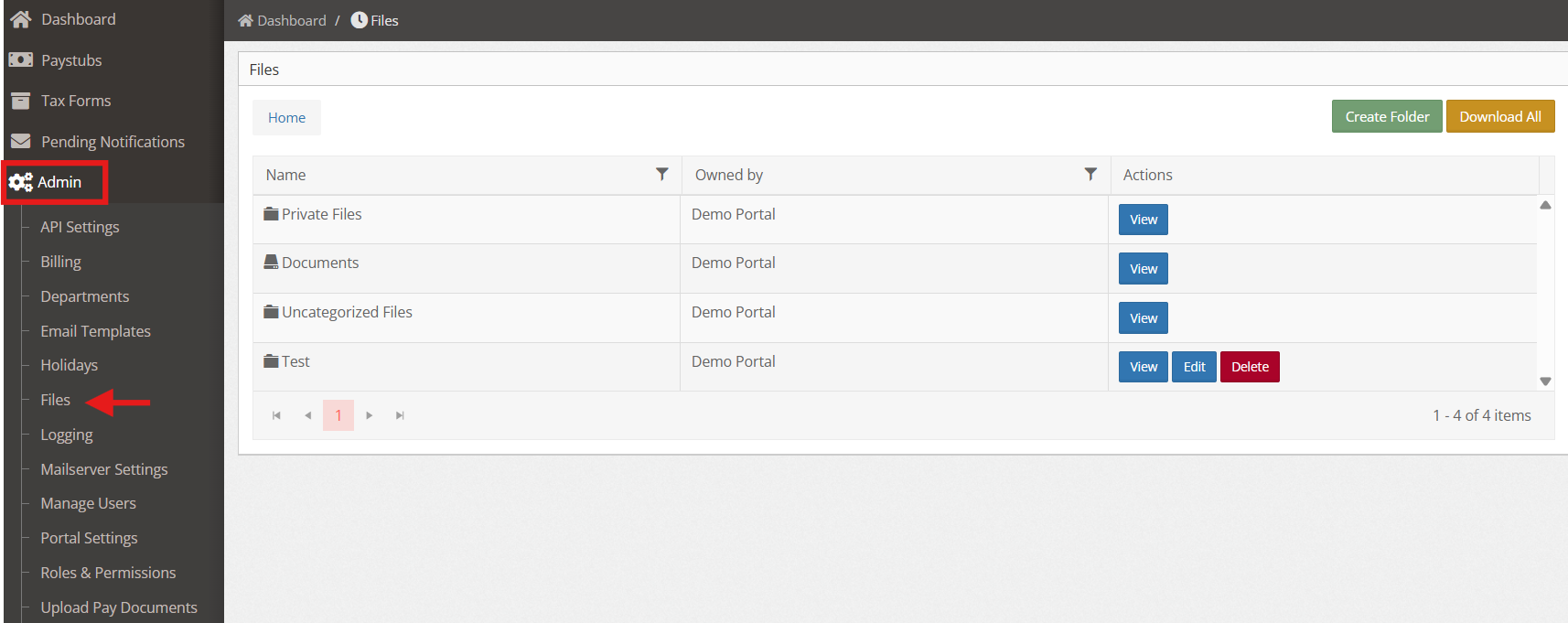
2. From the left-hand menu, go to Admin, then select Files.
3. Click Download All to download everything under the File tab.
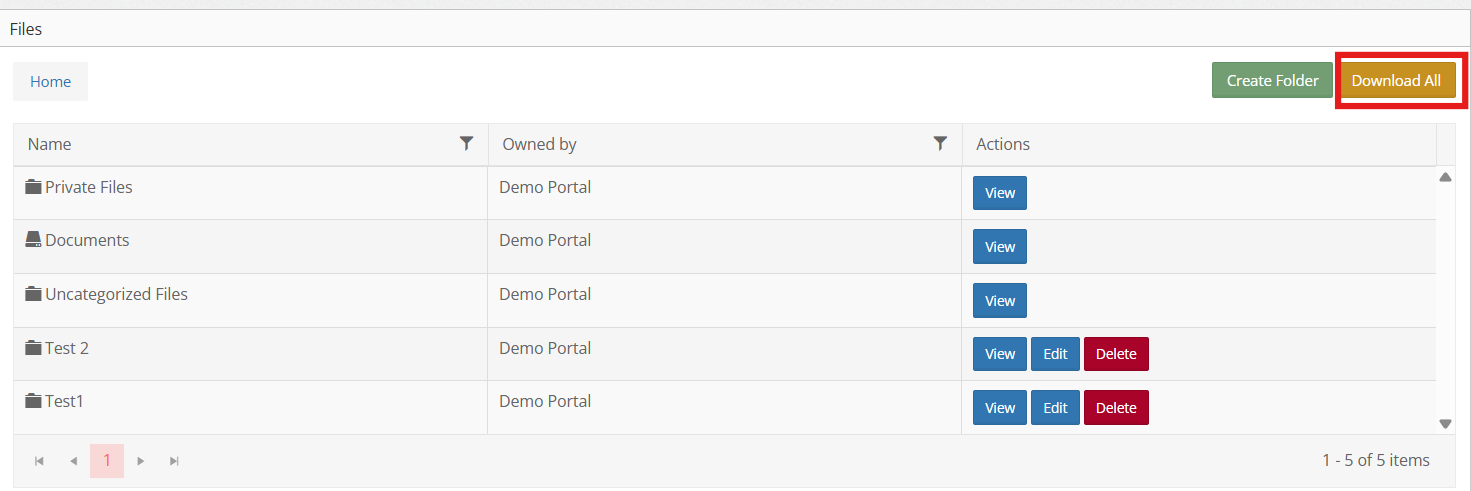
4. To download files from a specific folder, open the folder and click “Download All.”
