Creating a Folder
Creating folders is a great way to keep your files organized. This guide will show you how to create a new folder so you can easily group and manage your documents.
1. Log in to your portal (e.g., yourcompany.instaff.org) as an Administrator.
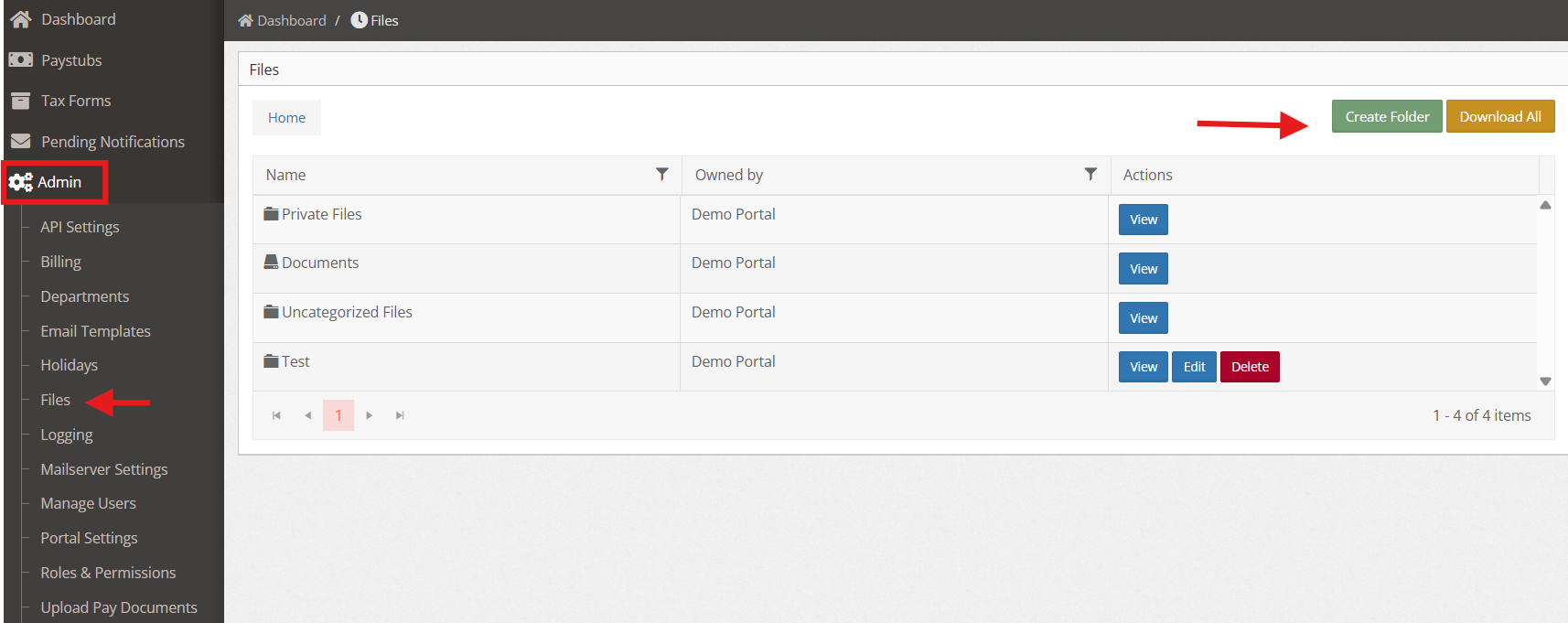
2. From the left-hand menu, go to Admin>Files then click Create Folder.
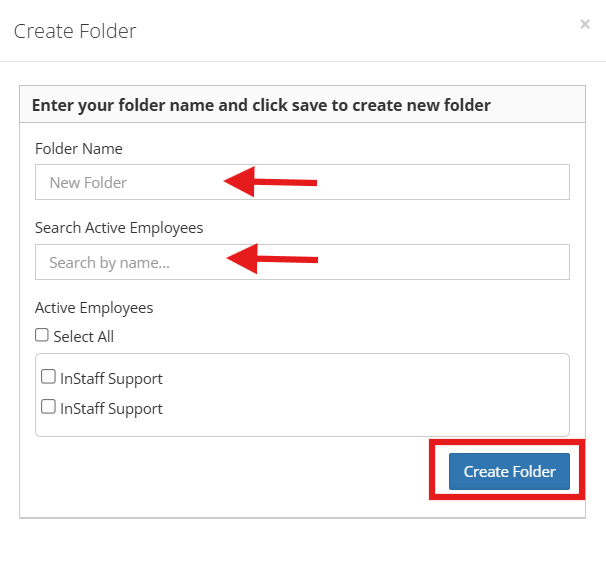
3. Then complete the following fields and click Create Folder once done.