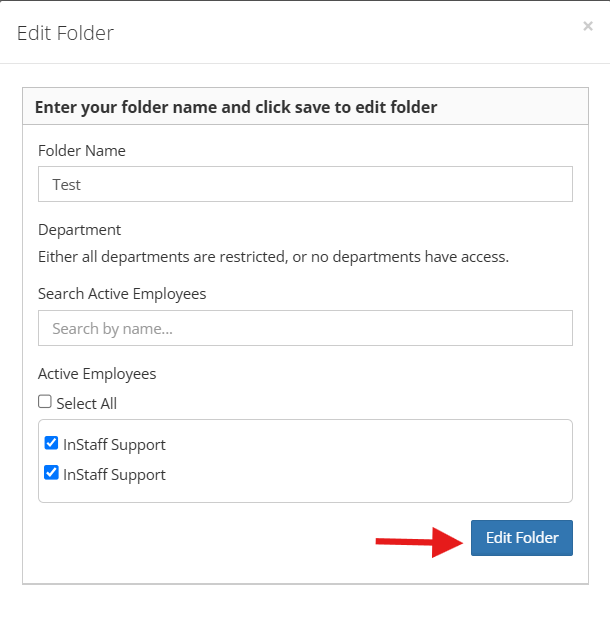
Editing Folder Details
1. Log in to your portal (e.g., yourcompany.instaff.org) as an Administrator.
2. From the left-hand menu, go to Admin, then select Files.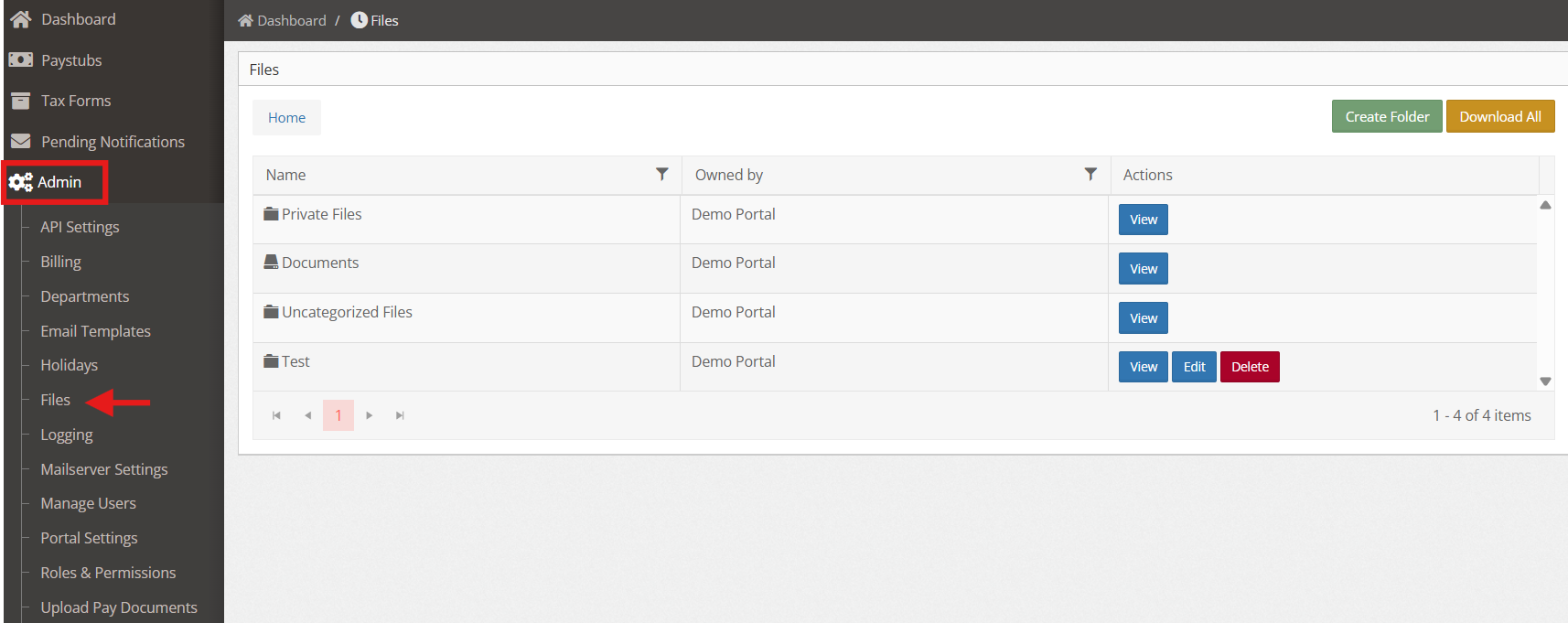
3. Find the folder that you wanted to edit then under Actions column, click Edit. 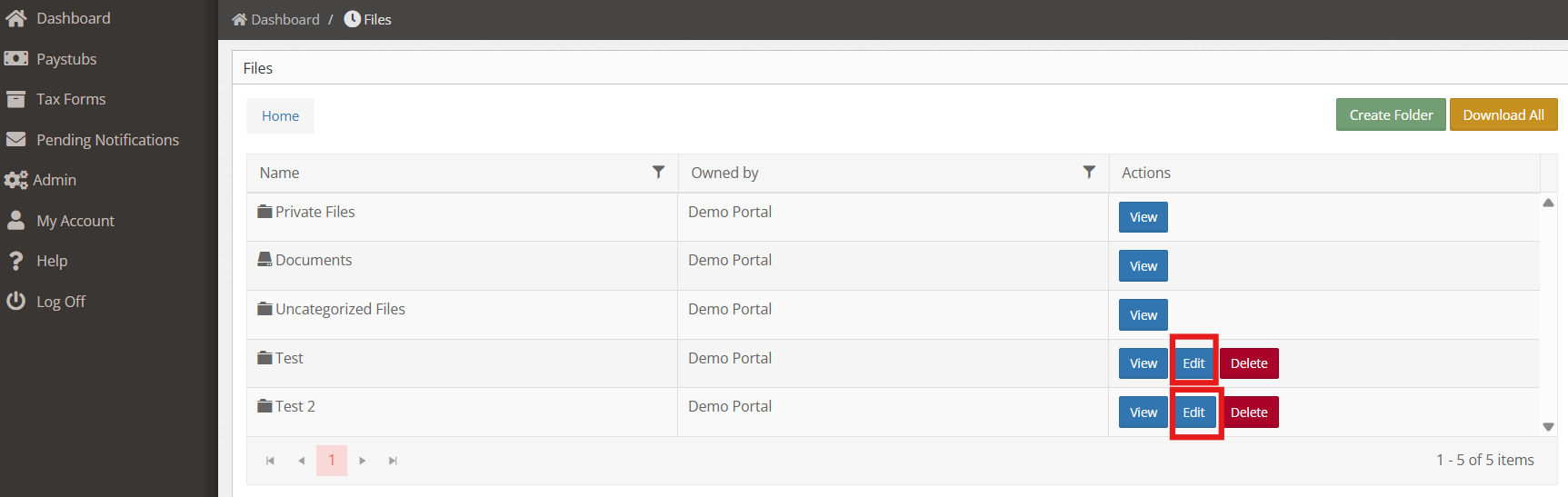
4. Make the necessary changes and click Edit Folder once done.