
How to Edit Announcements
1. Log in to your portal (e.g., yourcompany.instaff.org) as an Administrator.
2. From the left-hand menu, go to Admin, then select Announcement.
3. On the right-hand side of the screen, you will see a list of previously created announcements. Under the ‘Past Announcements’ section, you can click on ‘Edit’ to edit it.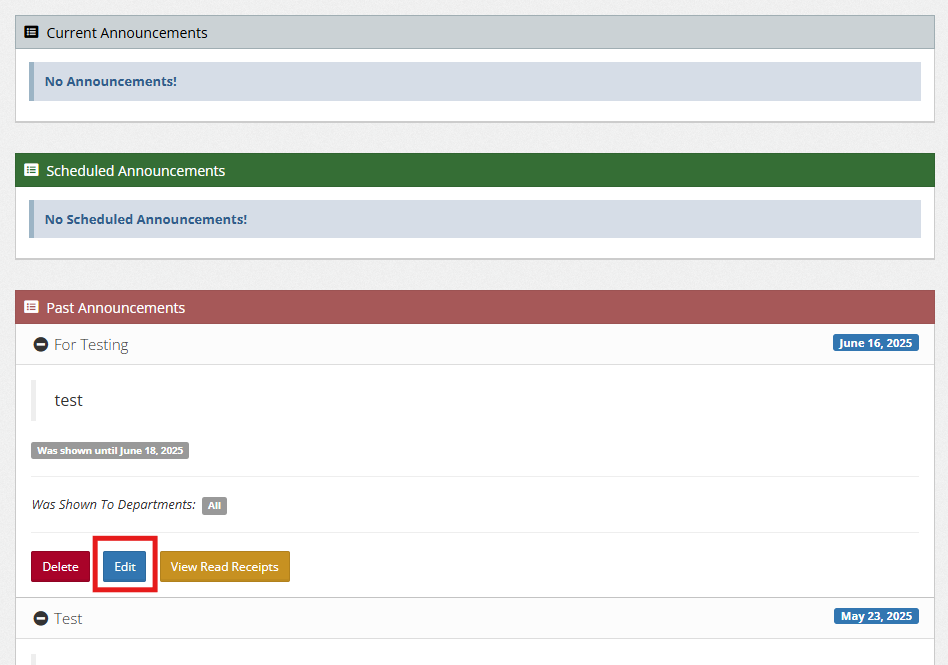
4. Edit the necessary details for the announcement, then click ‘Save Changes’ to update it.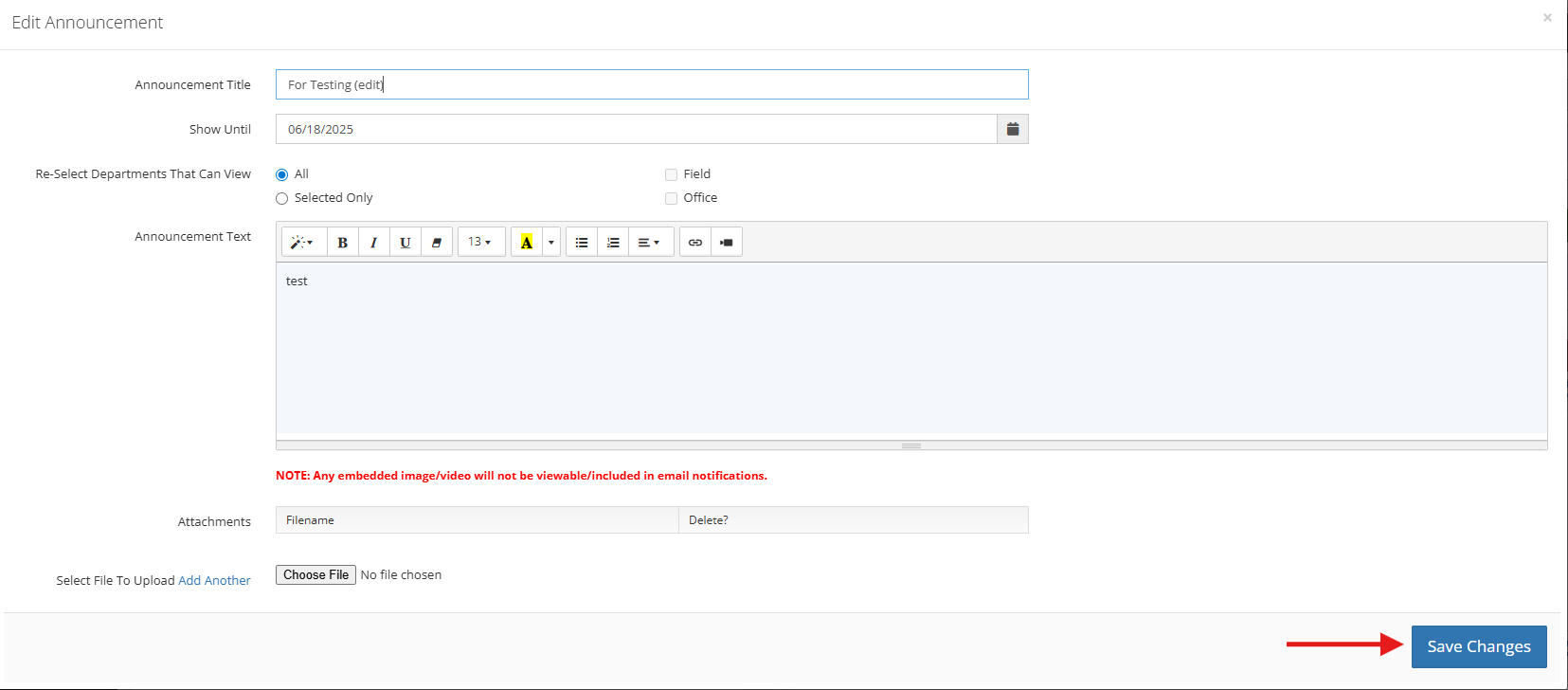
5. Then click ‘Save Changes‘ to update it.
You can also check:
How to Add and Schedule an Announcement
Where to View who read the Announcement