How to Choose Recipients for Announcements
- Log in to your portal (e.g., yourcompany.instaff.org) as an Administrator.
- From the left-hand menu, go to Admin, then select Announcement.
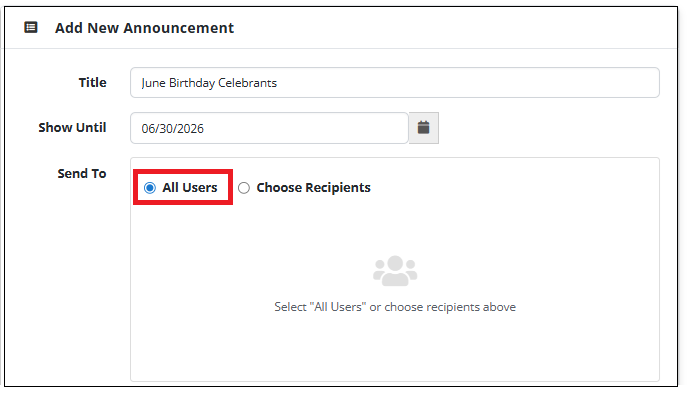
Send to All Users
- Use the “Select All Users” option to send the announcement to all active employees.
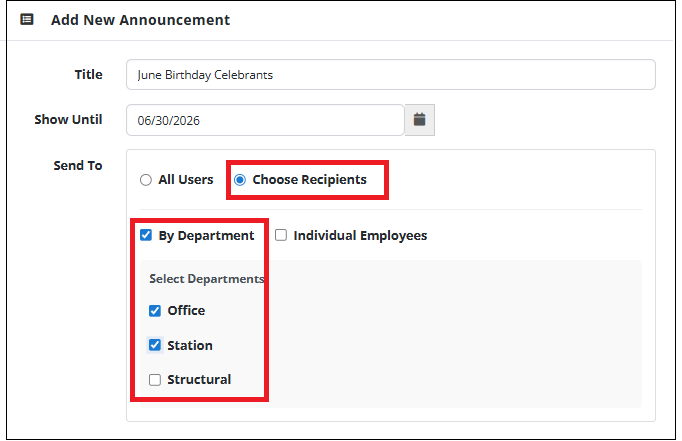
Send to Selected Departments
- Use the “Choose Recipients” option, select “By Department,” then choose the department to send the announcement.
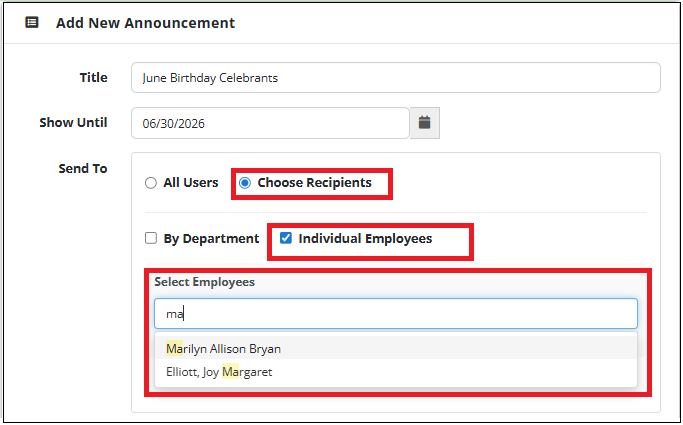
Send to Specific Employees
- Use the “Choose Recipients” option, select “Individual Employees,” and enter the employee names in the Select Employees text box to send the announcement.
Send to Department + Specific Employees
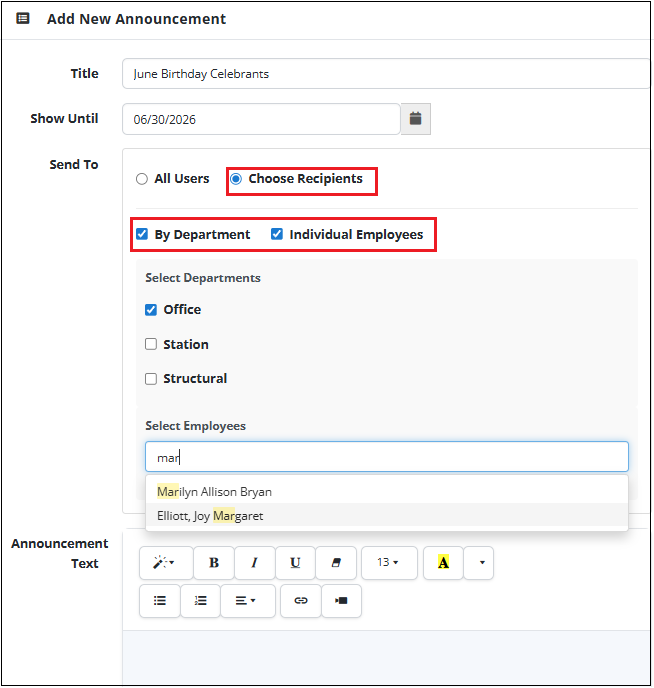
- Use the “Choose Recipients” option, select both “By Department” and “Individual Employees”, then pick the department and enter the employee names in the “Select Employees” text box to send the announcement.