Approving and Deleting Employee Certifications – Administrator’s Guide
1. Log in to your portal (e.g., yourcompany.instaff.org) as an Administrator.
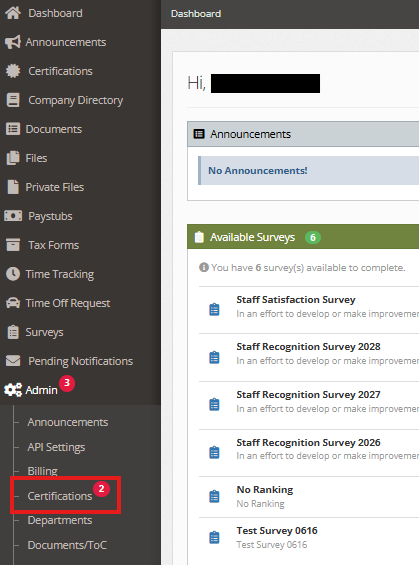
2. From the left-hand menu, go to Admin, then select Certifications.
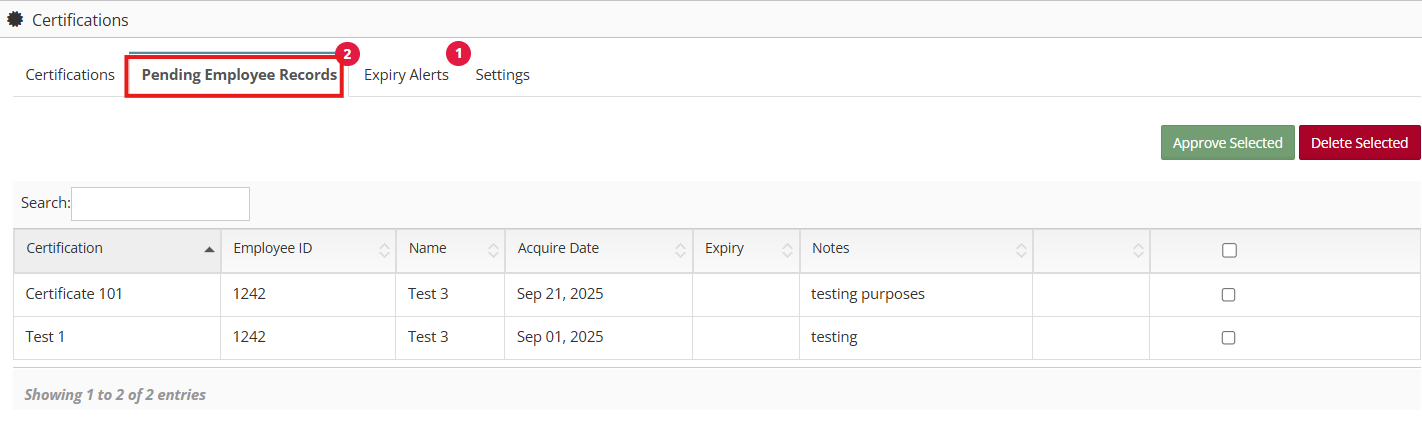
3. Navigate to Pending Employee Records.
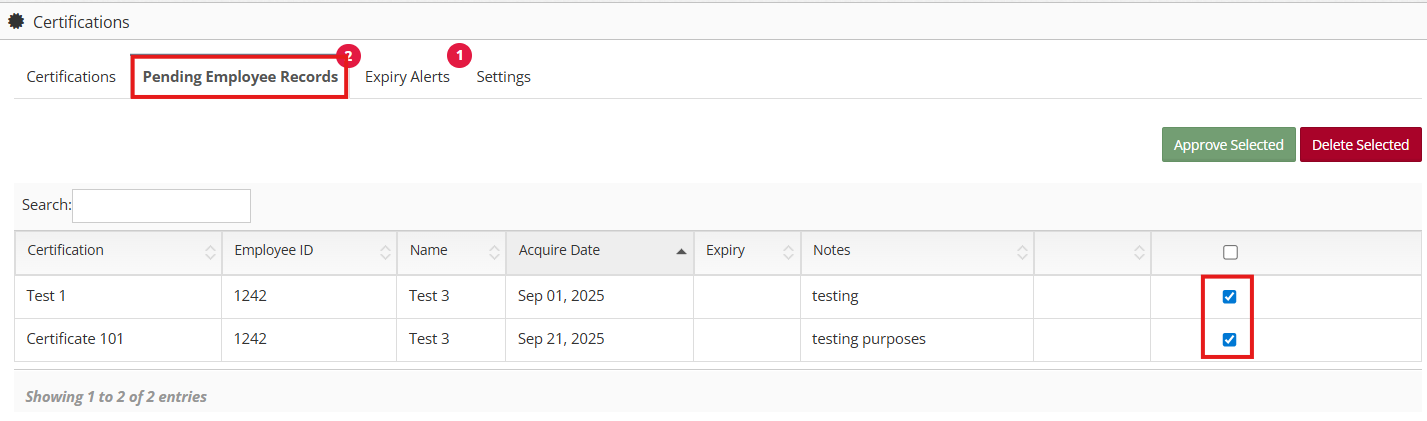
4. Select the checkbox for the certification(s) you want to manage.
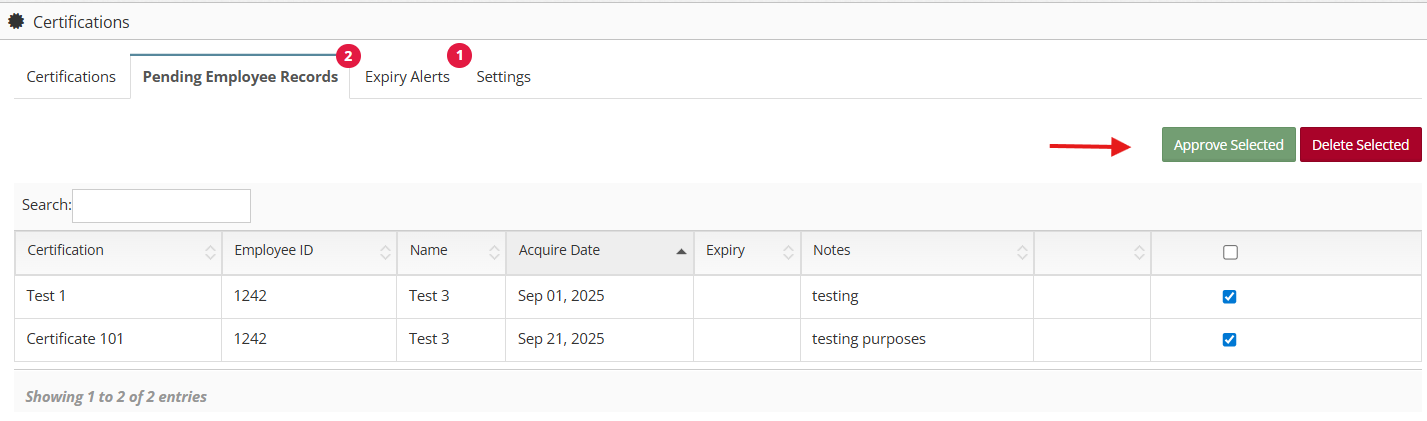
5. Click Approve Selected to approve the certificate, or Delete Selected to remove it.