
Adding a Certification Record on Behalf of an Employee – Administrator’s Guide
1. Log in to your portal (e.g., yourcompany.instaff.org) as an Administrator.
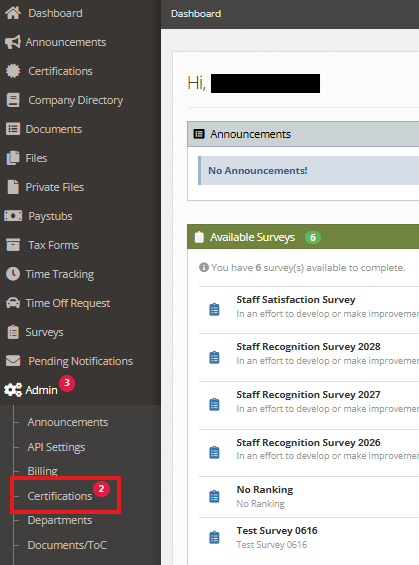
2. From the left-hand menu, go to Admin, then select Certifications.
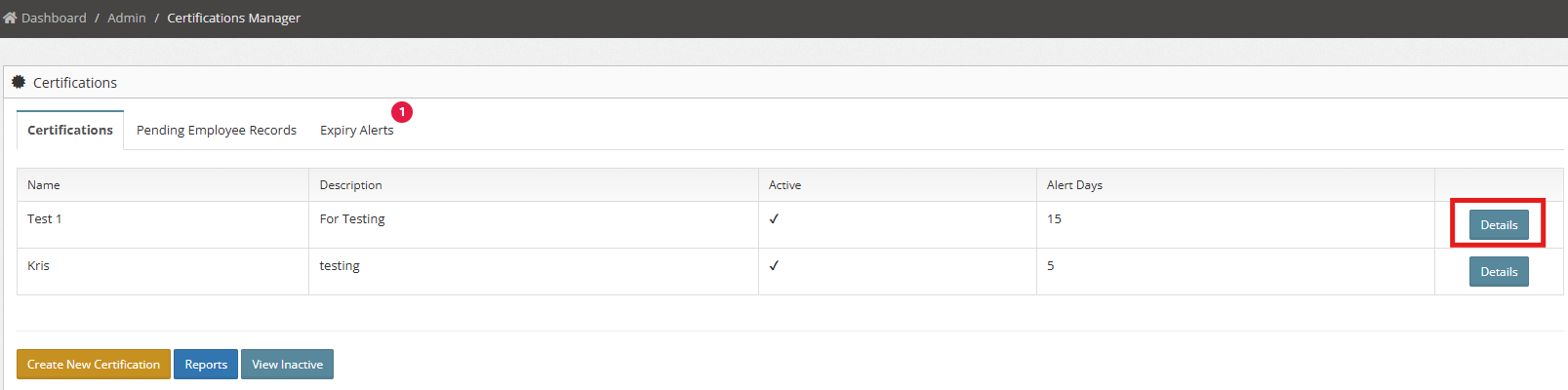
3. In the Certifications tab, locate the employee and click Details.
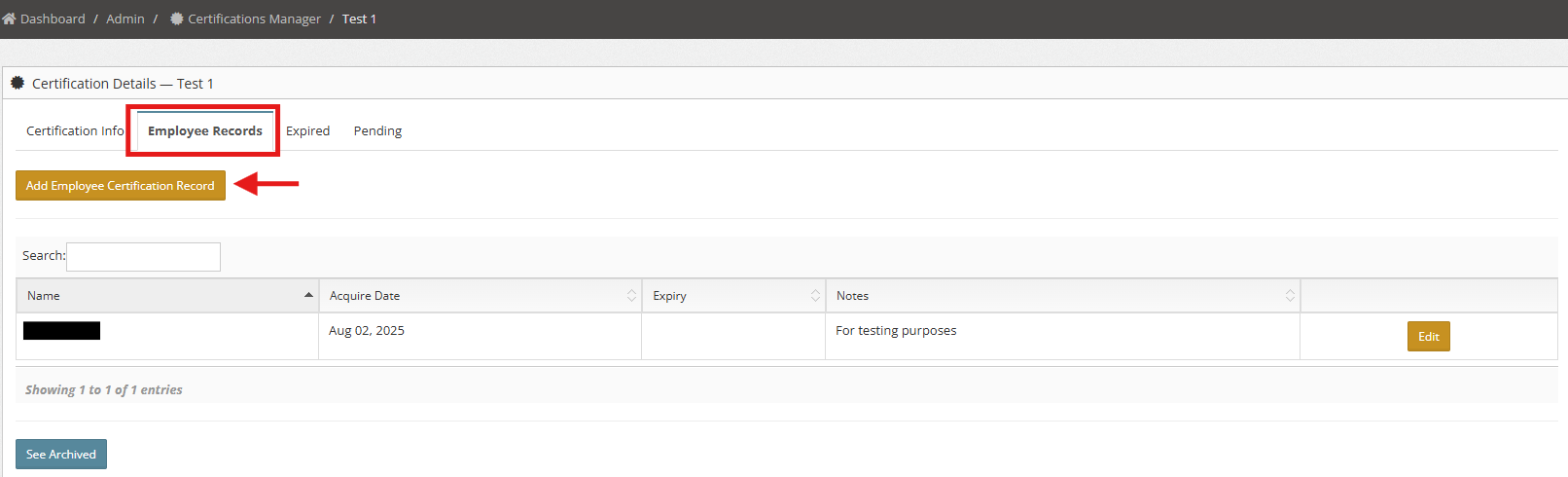
4. Click Add Employee Certification Record.
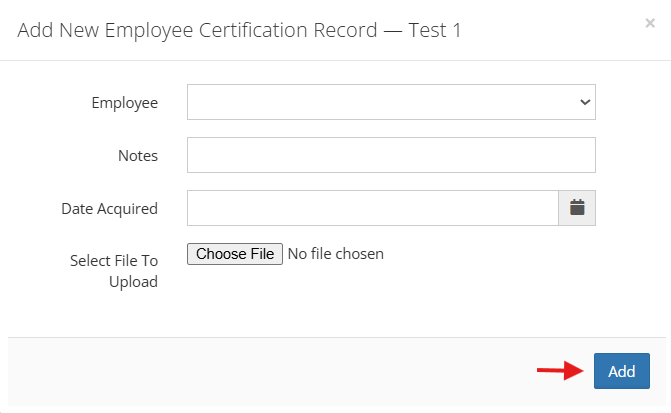
5. Fill in the required details and, if applicable, upload a file or certificate.
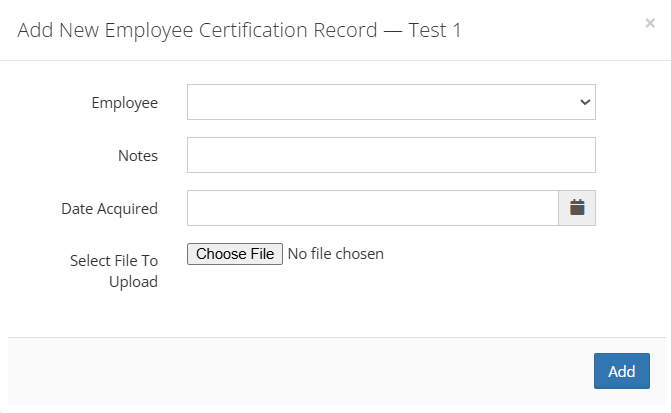
6. Once complete, click Add.
You can also check:
How to delete an Employee Records