Adding Certification Custom Fields – Administrator’s Guide
1. Log in to your portal (e.g., yourcompany.instaff.org) as an Administrator.
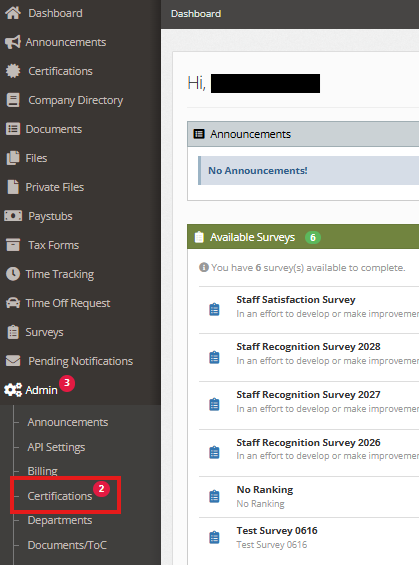
2. From the left-hand menu, go to Admin, then select Certifications.
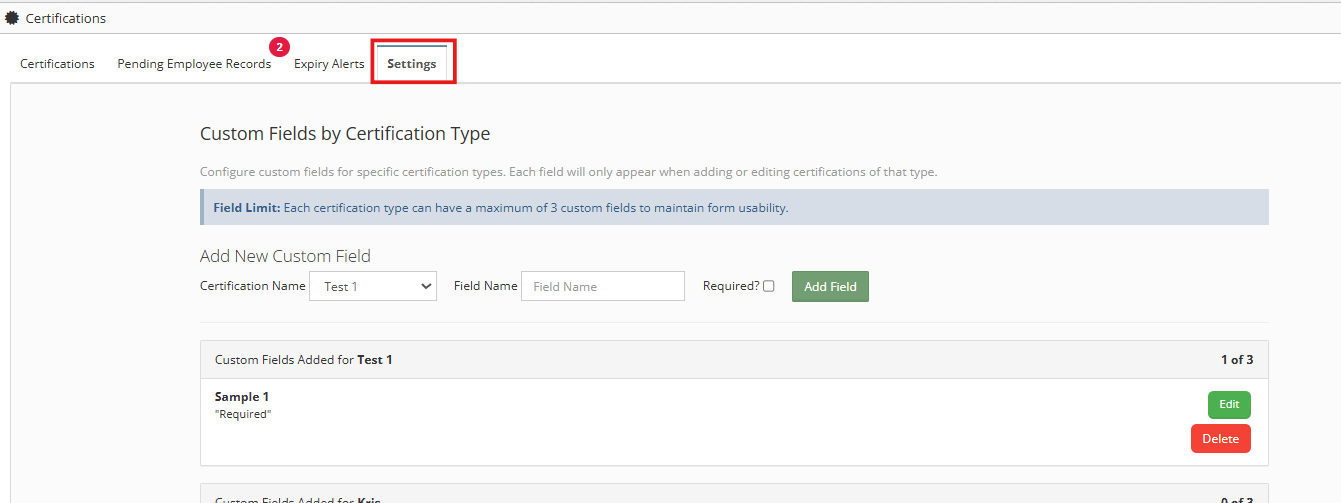
3. Go to Settings tab.
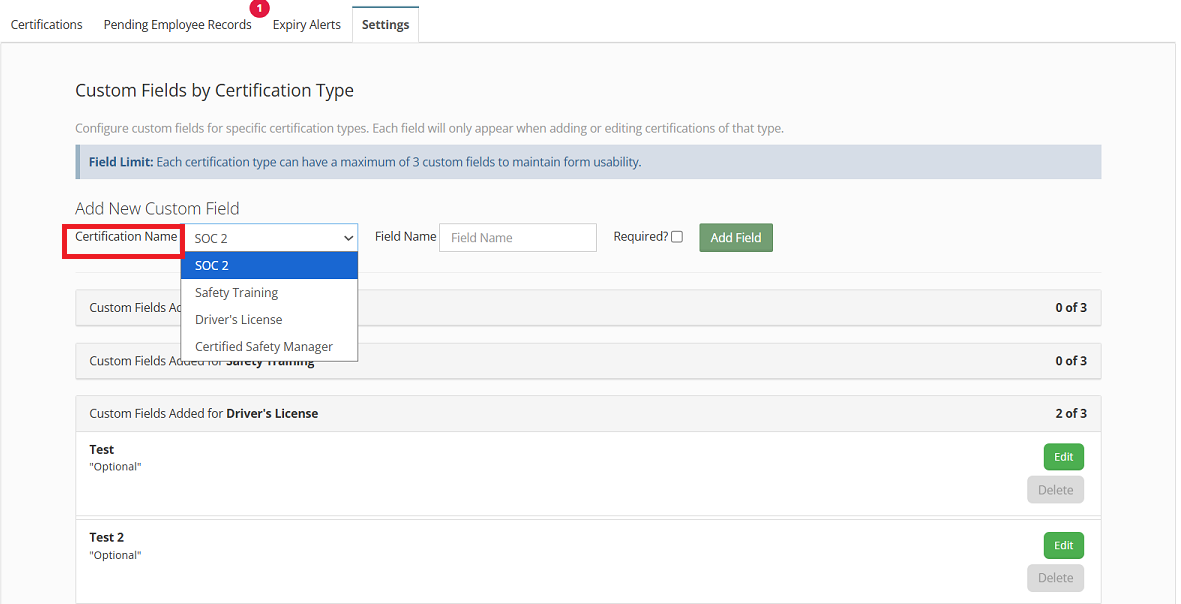
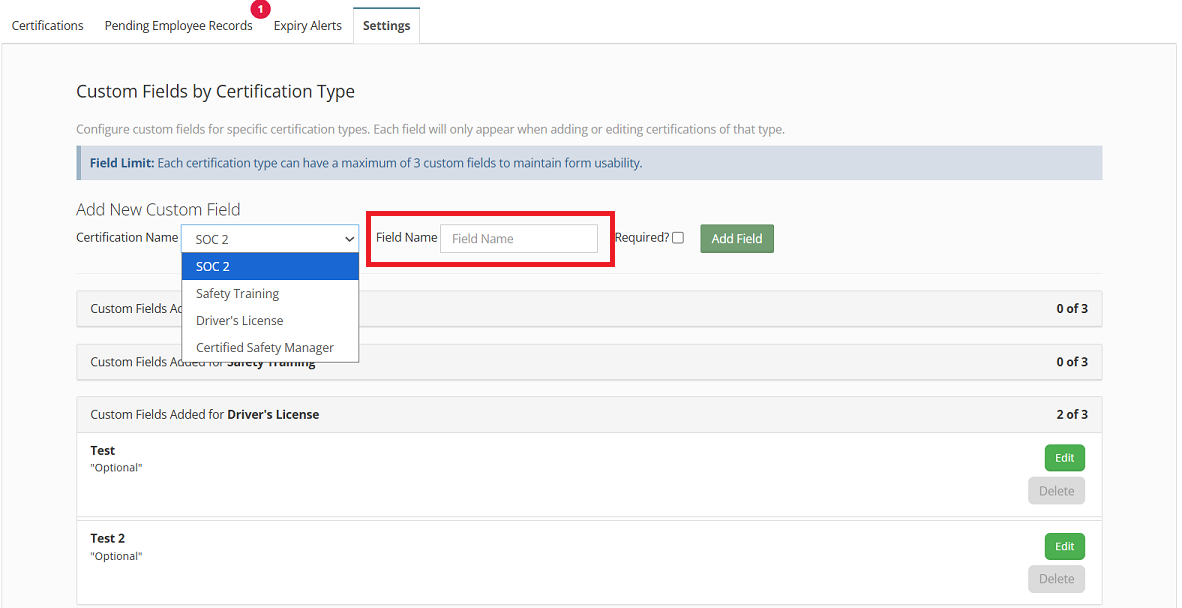
4. Locate Add New Custom Field section and choose the Certification name in the drop down menu.
5. Enter the Field Name.
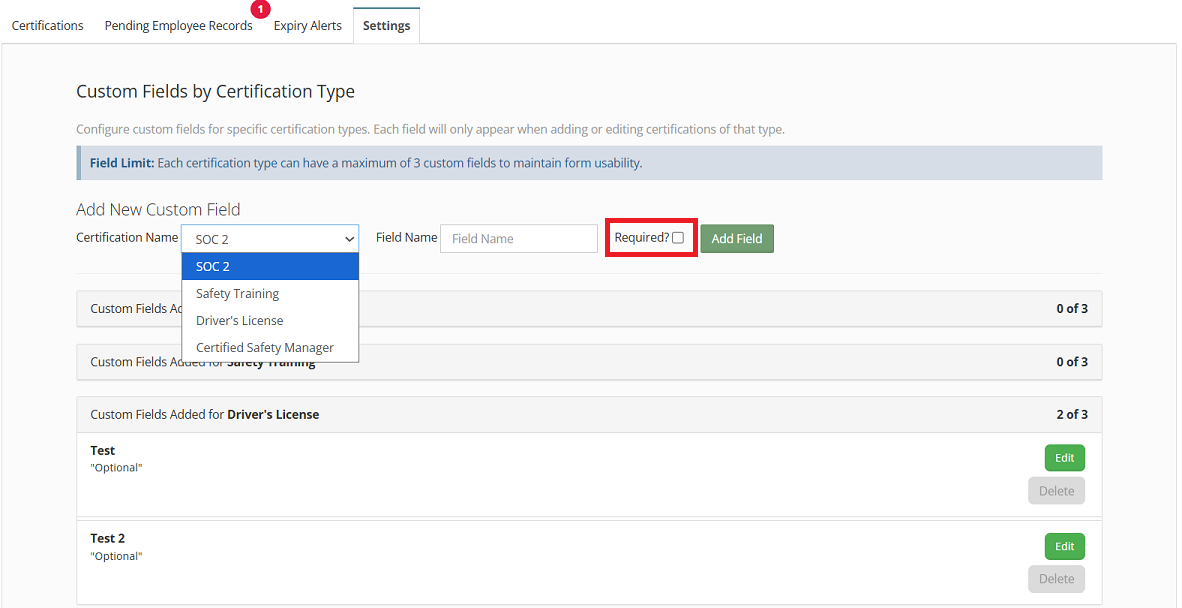
6. (Optional) Check the box if you want the field to be marked as required.
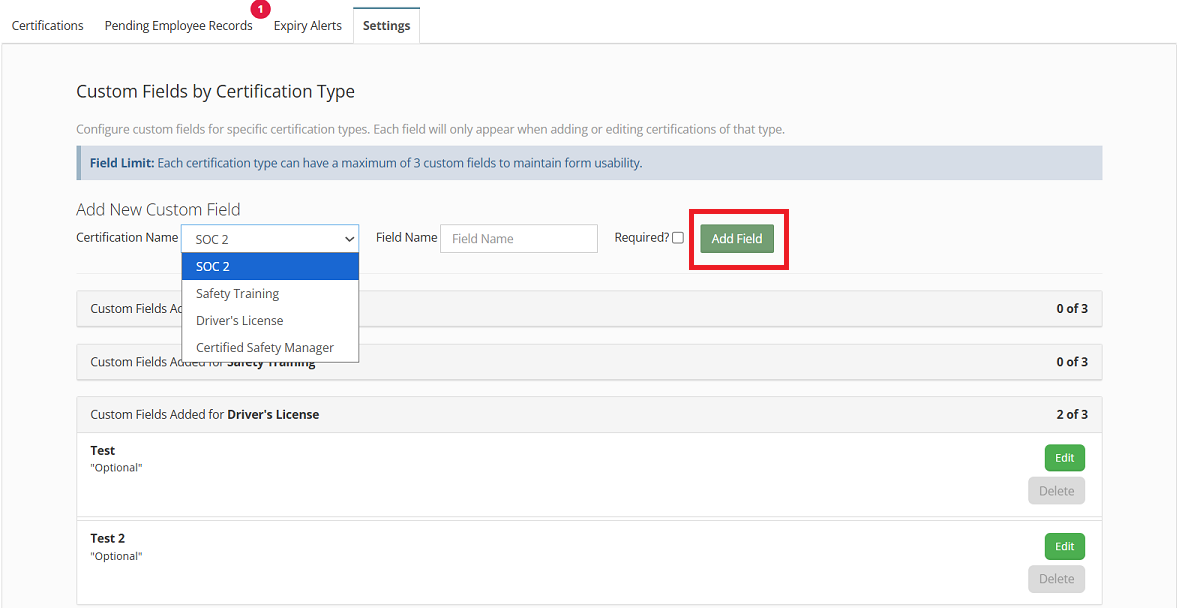
7. Click Add Field to apply the changes.
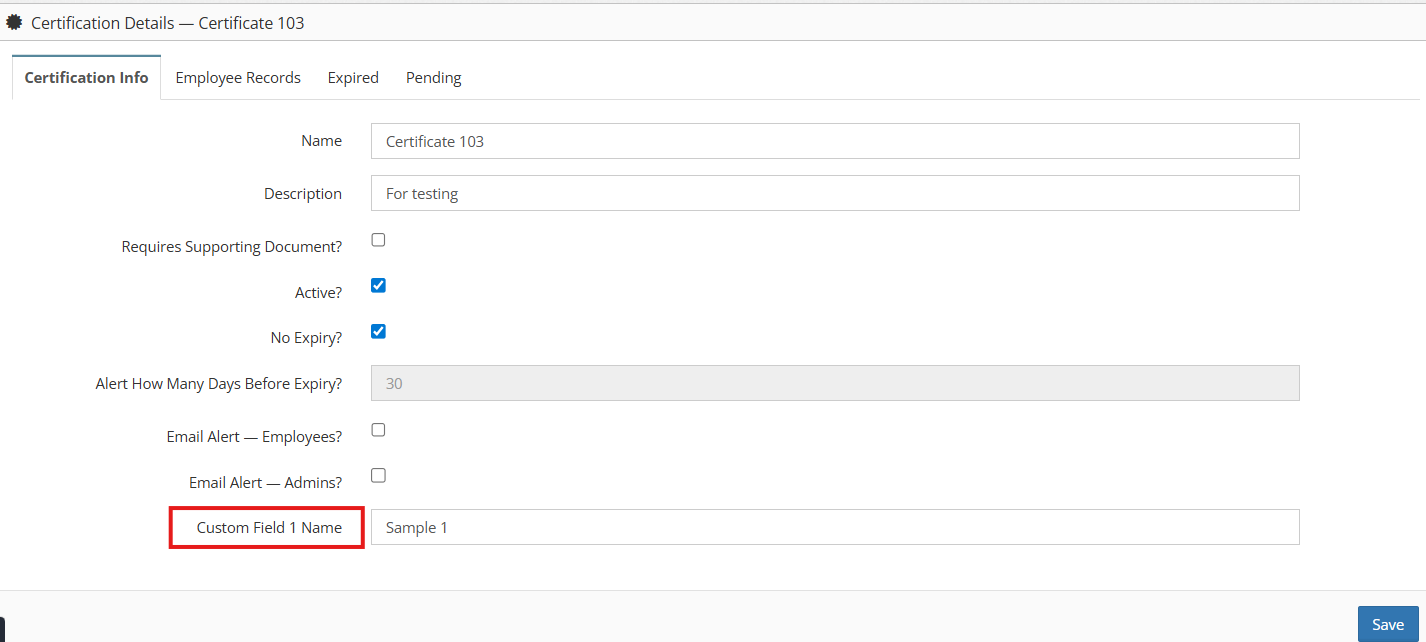
8. The new field will now appear in the Certification Info section.