
Adding new Certificate – Employee Guide
You can upload your certificates in the portal to keep your records updated. Follow the steps below to add a new certificate to your profile.
- Log in to your portal (e.g., yourcompany.instaff.org) using your employee credentials.
-
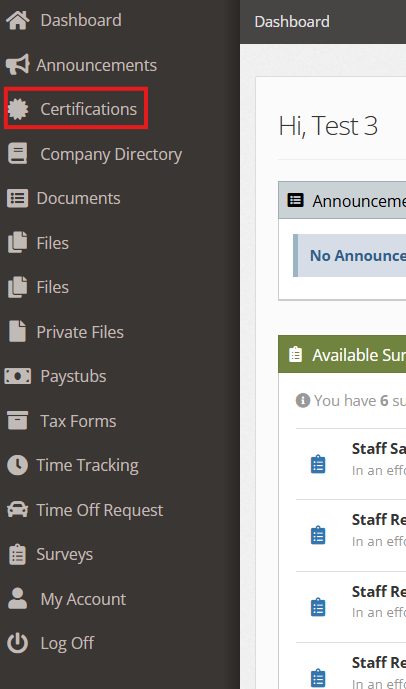
From the left-hand menu, select Certifications.
-
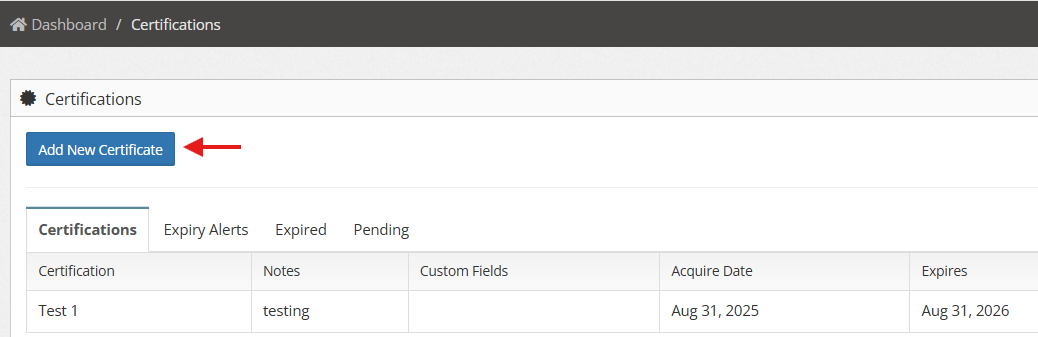
Click Add New Certificate
-
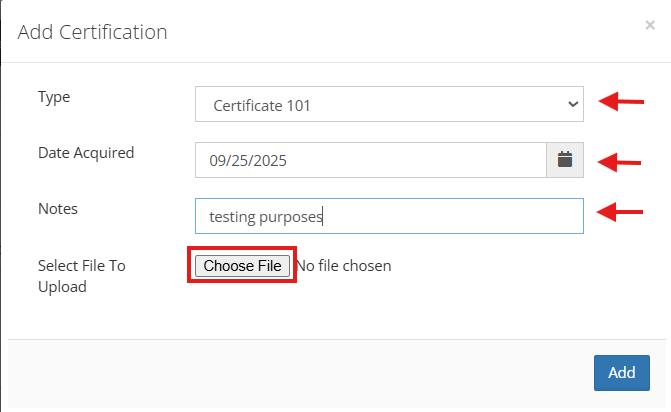
Fill out the required details (Type, Date Acquired, Notes). Select the file you want to upload.
-
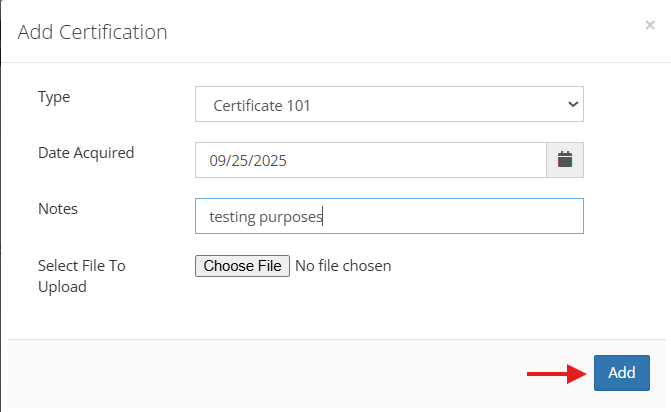
Once done, click Add.
6. Your certificate is now visible in your profile under Certifications and the Pending tab, waiting for admin approval.
