
Importing Employee Data via CSV File
1. Login as an admin user.
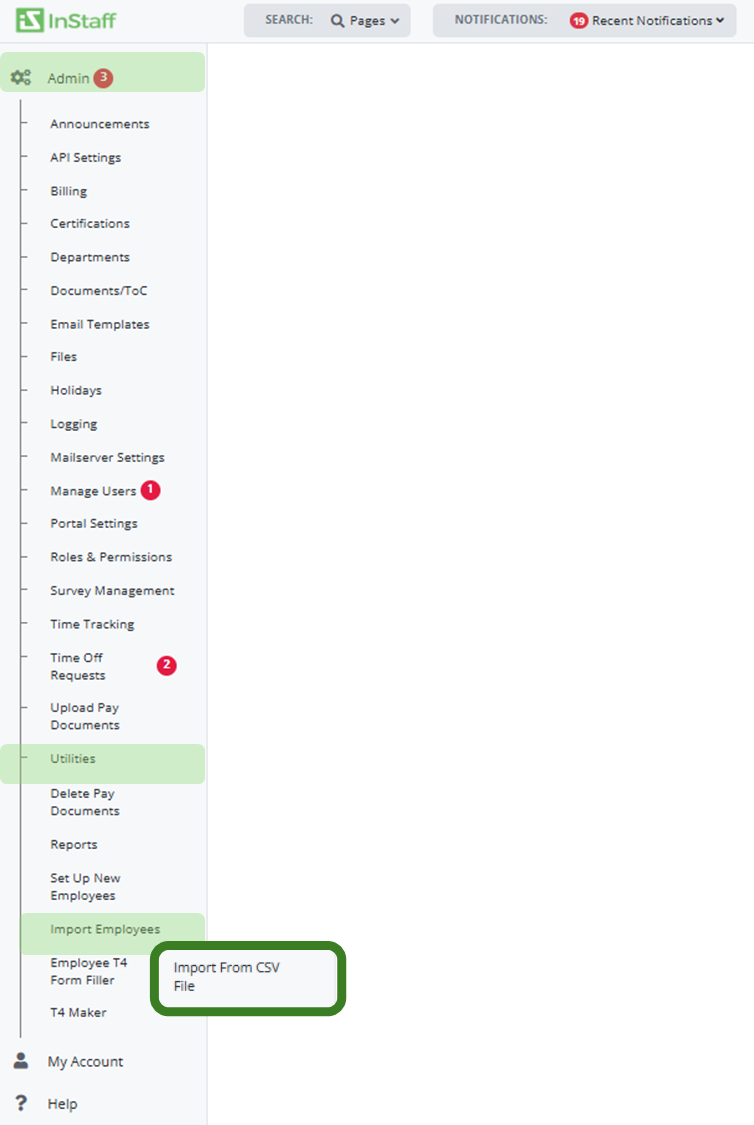
2. Navigate to Admin > Utilities > Import Employees > Import From CSV.
3. Choose the file to import and click Upload CSV.
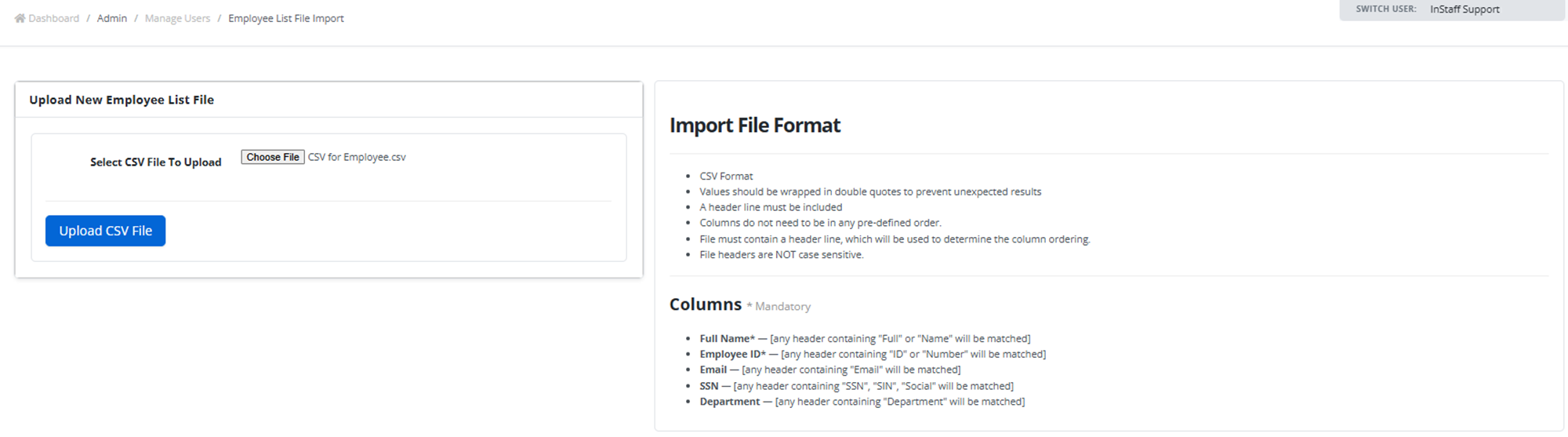
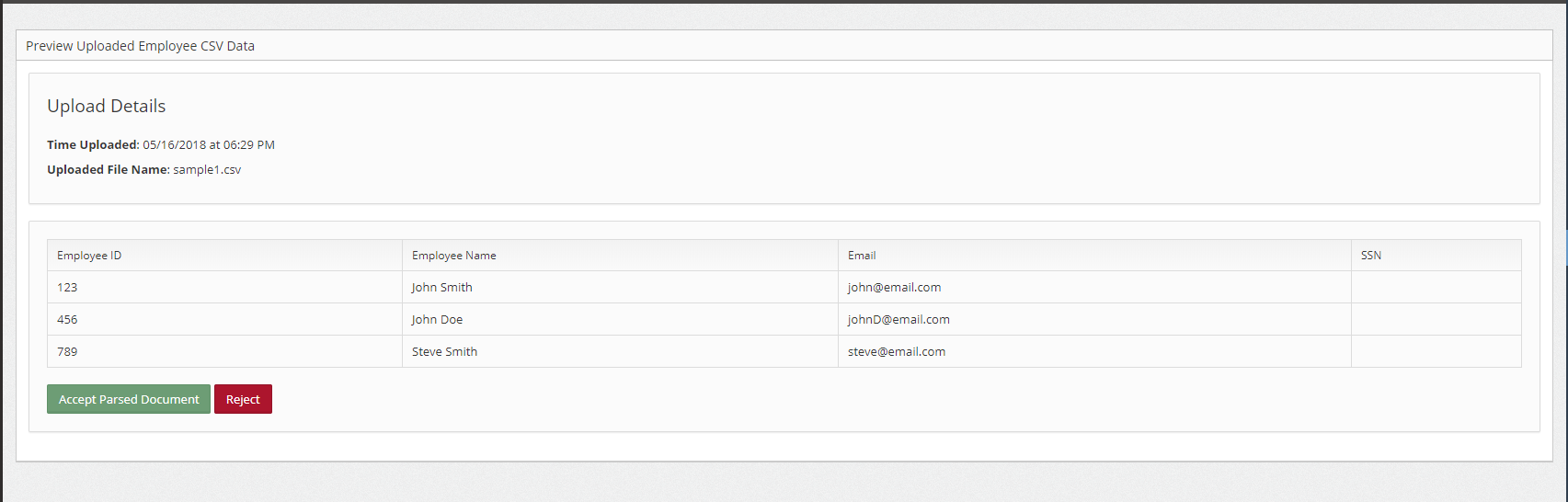
5. After the fill has uploaded click Preview & Verify to ensure the correct values have been read

6. Verify the uploaded values.
7. Click Accept Parsed Document if all the values are correct and you wish to create the users.
|
Note: You may Reject the parsed document if there any discrepancies on the uploaded values |