How to Access and Review Activity Logs
1. Log in to your portal (e.g., yourcompany.instaff.org) as an Administrator.
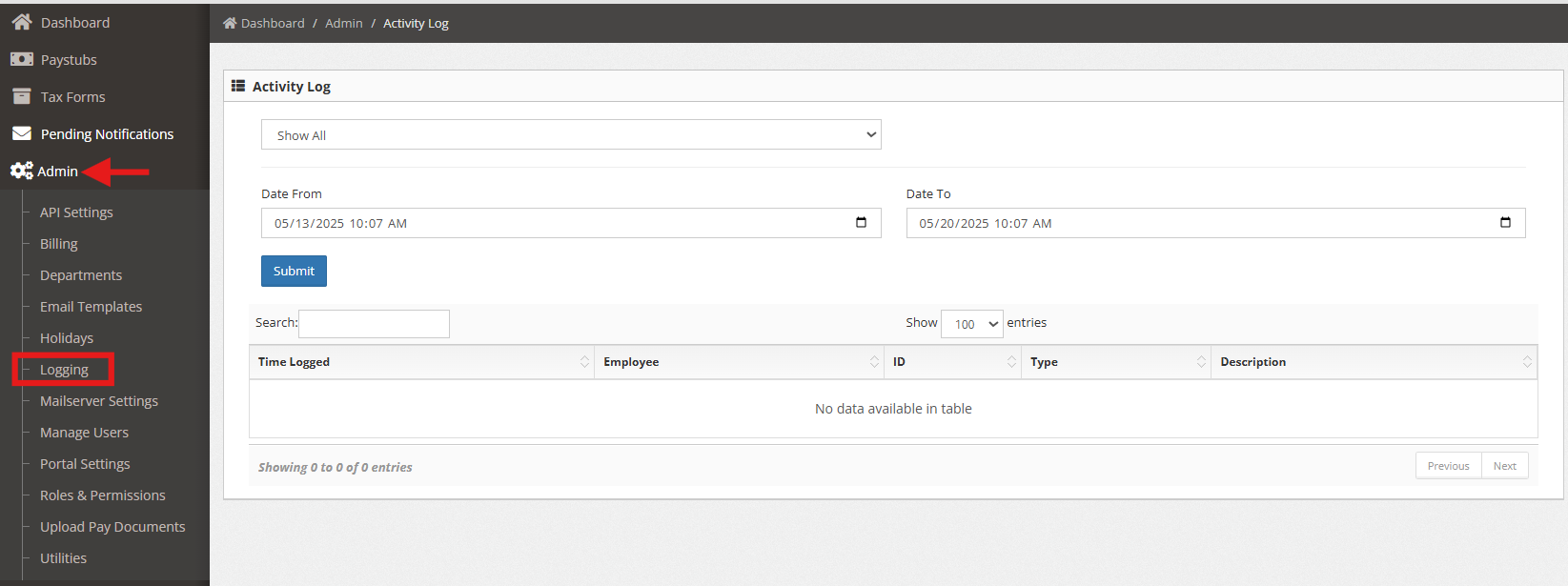
2. From the left-hand menu, go to Admin, then select Logging.
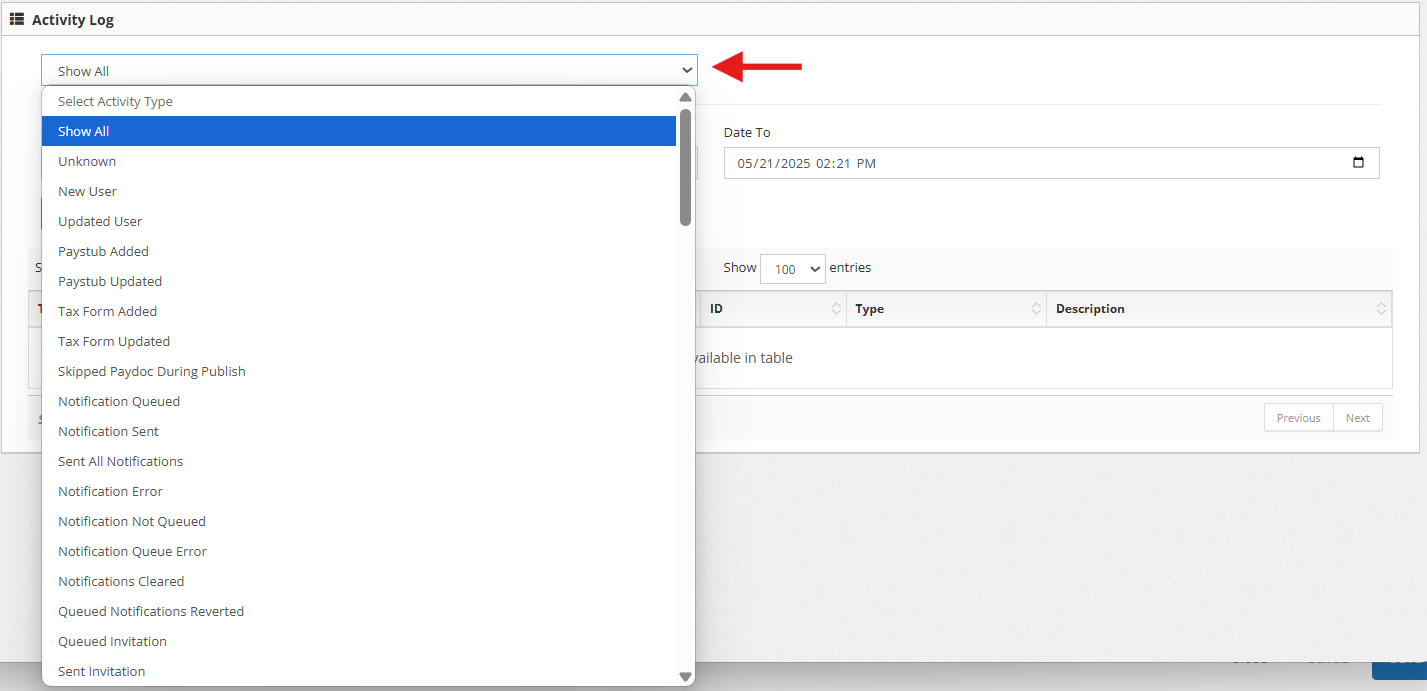
3. You can filter logs by type using the dropdown menu.
4. Also you can enter a specific date or date range for the activity log you wish to review.
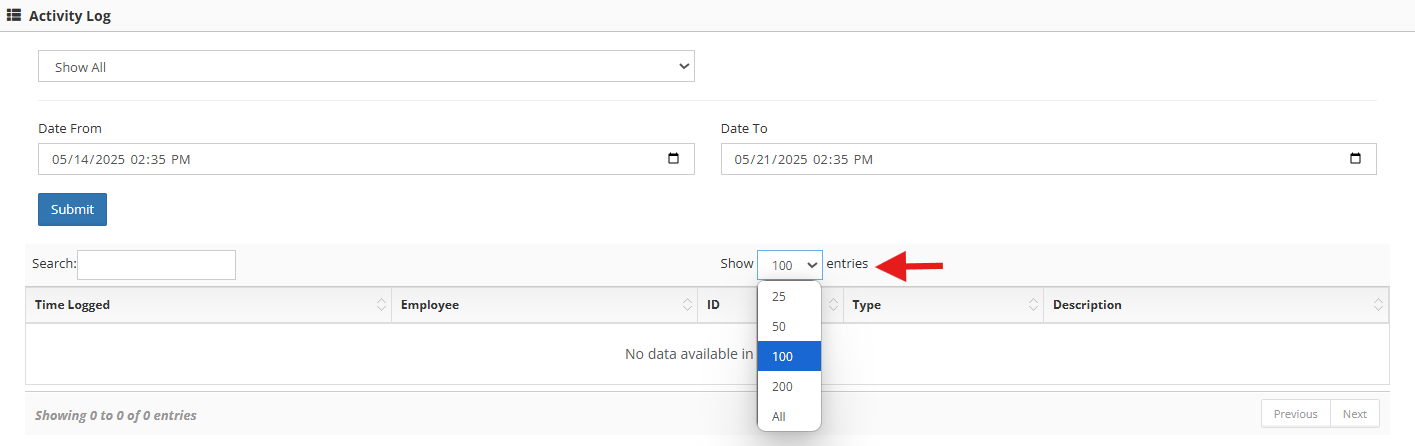
5. You can also select the number of entries to display in your search results.