
Adding Employees Manually
1. Login as an admin user.
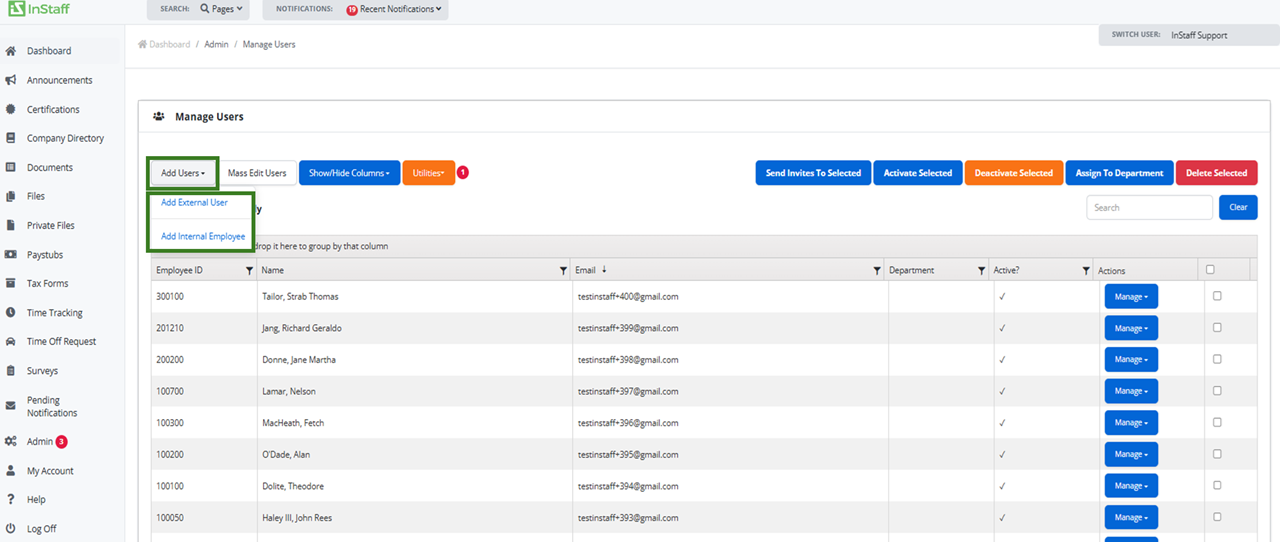
2. Proceed to Admin then Manage Users
3. Click Add Users and select to add internal employee or external user;
- Internal Employee – An employee that will receive paystubs and tax forms
- External Users – Can not receive paystubs and tax forms
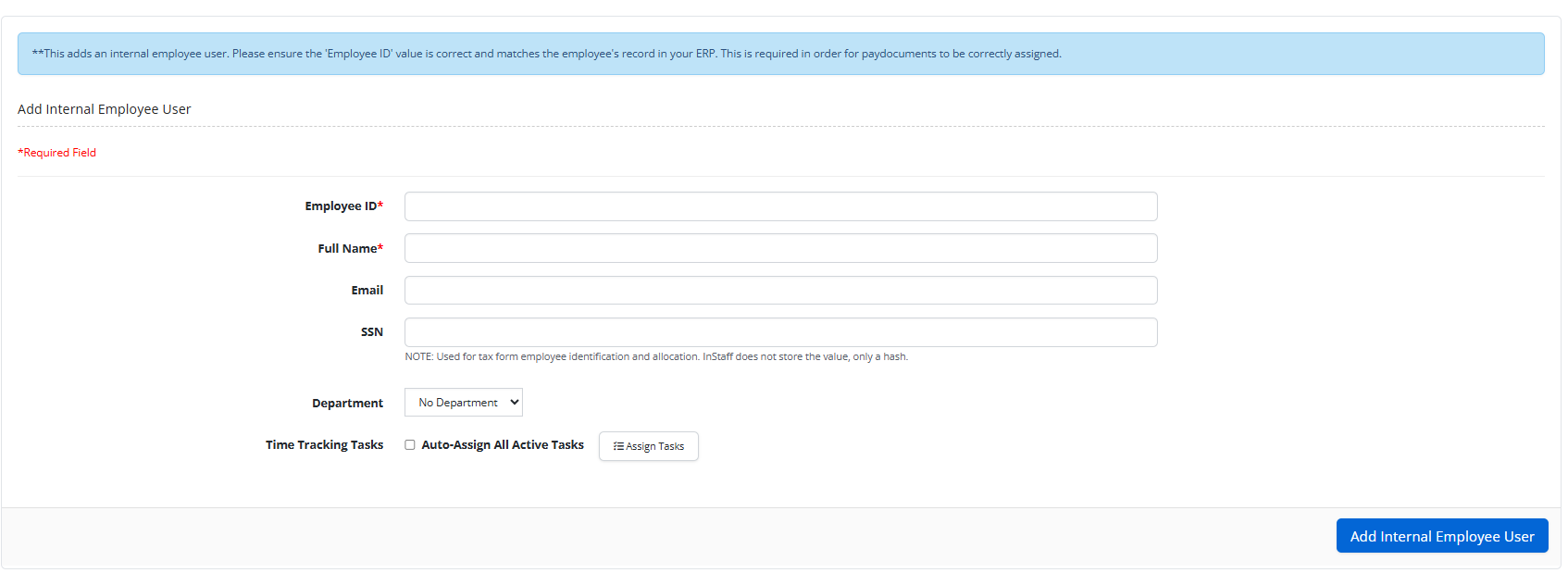
5. Enter in employee information.
|
Note: For internal employees: Employee ID must match Employee ID on Paystubs for correct matching. |