
Inviting Employees
1. Login as an admin user.
2. Select employees you wish to send invites to.
3. Click “Send Invites to Selected“
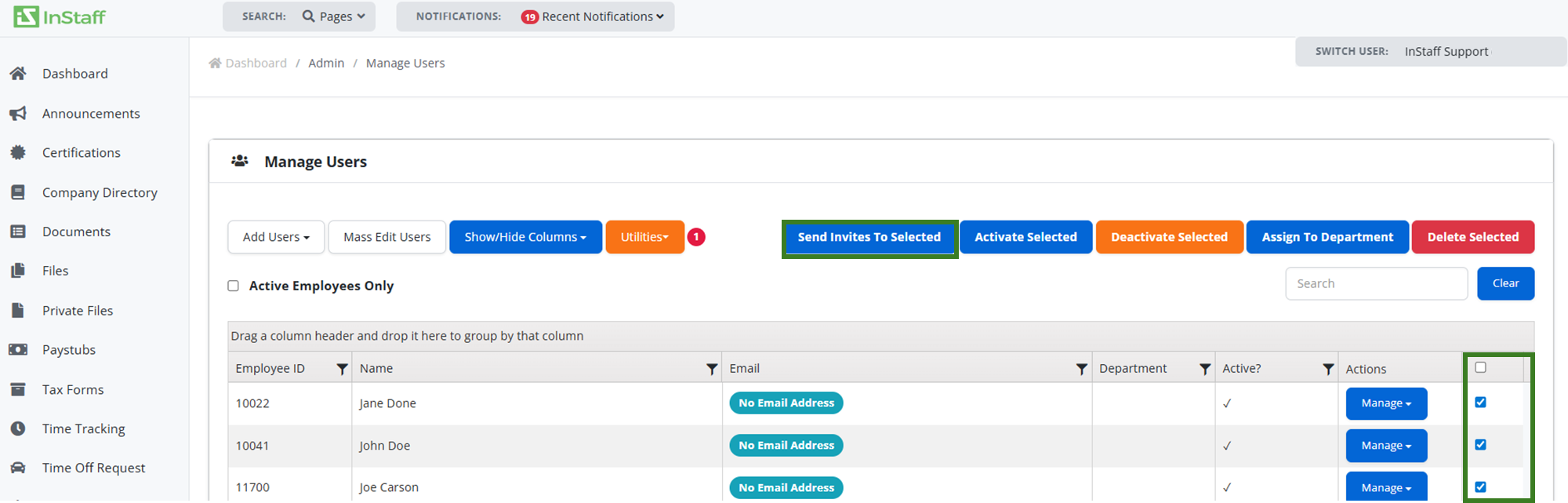
4. Invitations will now be queued and sent shortly.
|
To edit Invitation Email visit this link: |
1. Login as an admin user.
2. Select employees you wish to send invites to.
3. Click “Send Invites to Selected“
4. Invitations will now be queued and sent shortly.
|
To edit Invitation Email visit this link: |
Can’t find what you’re looking for? Our support team is here to assist you.