
Reset Password for an Employee
1. Login as Admin user.
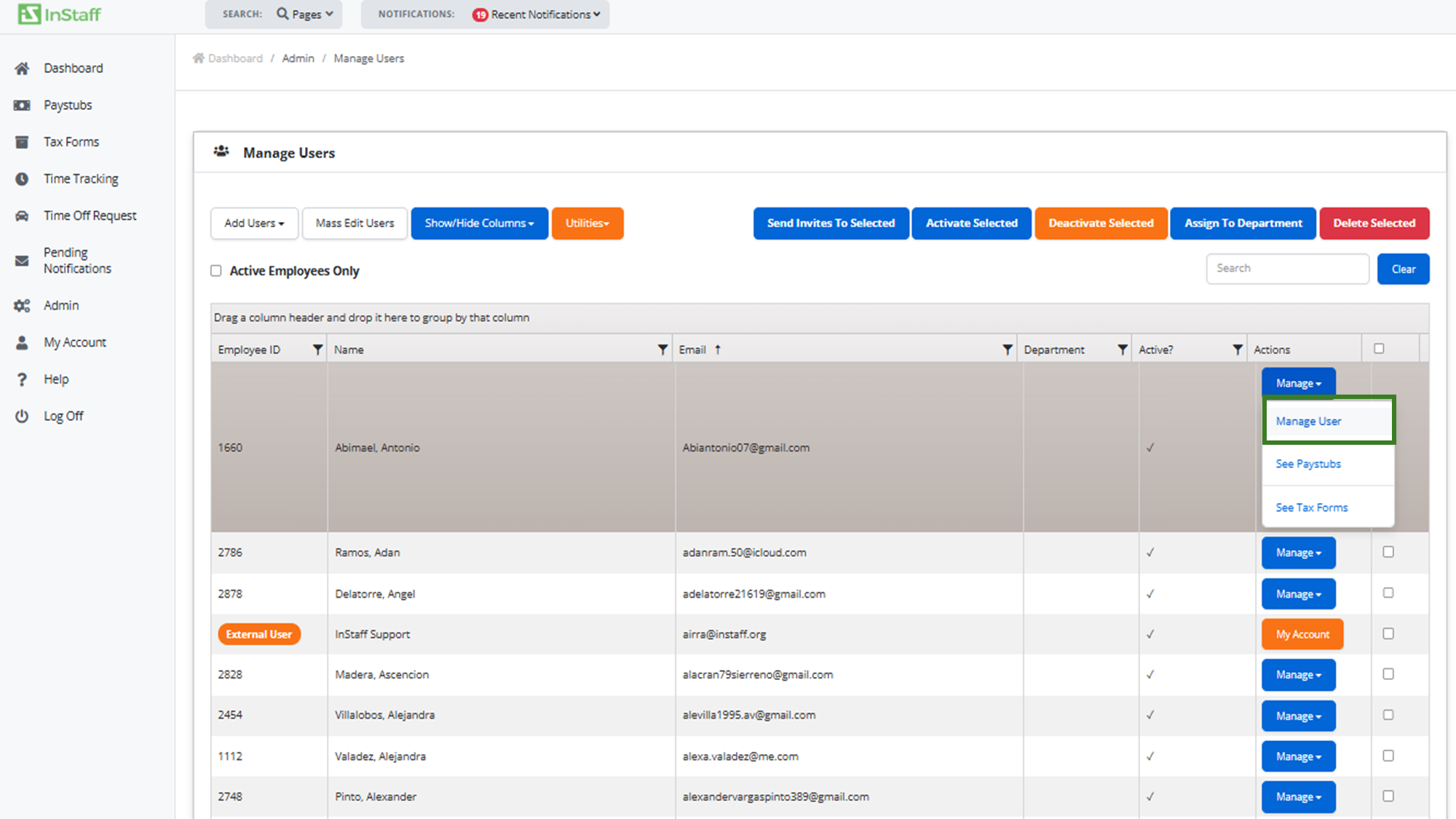
2. Go to Admin > Manage Users.
3. Click Manage User.
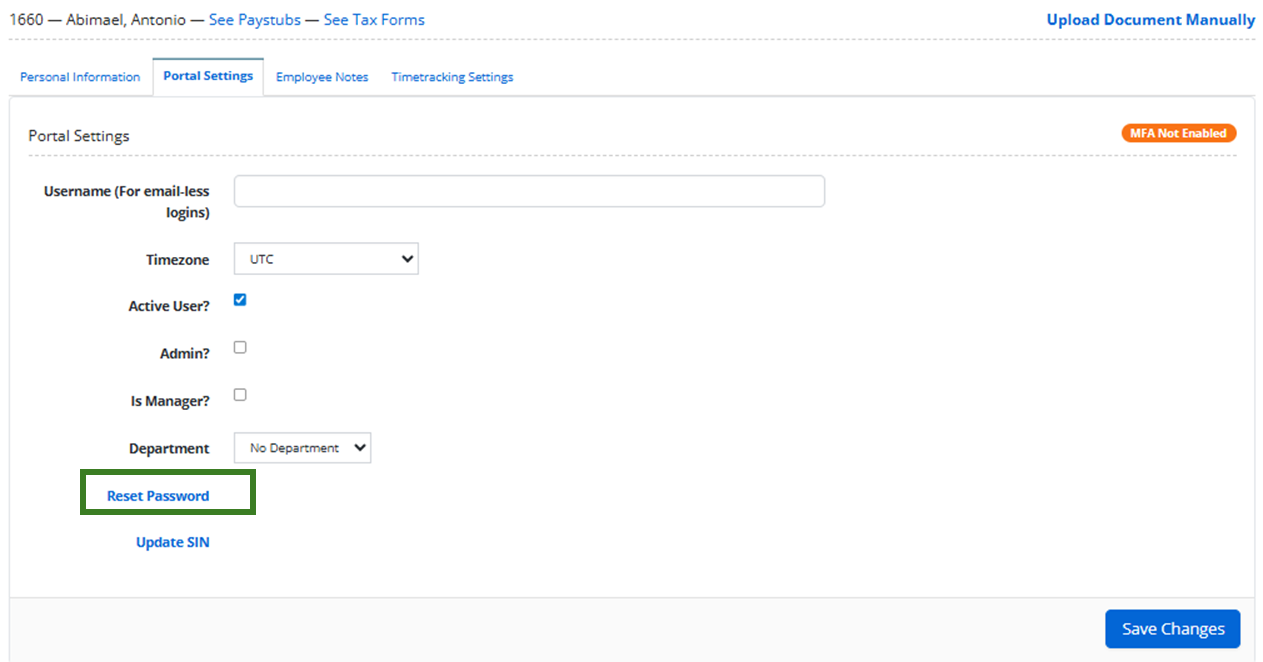
4. Go to Portal Settings Tab and click the Reset Password Link.
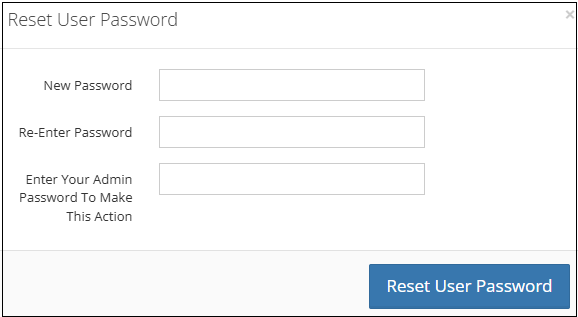
5. Enter New Password and click Reset User Password.
6. Click Save Changes.