
How to set up and assign departments to Managers?
1. Log in as an admin user.
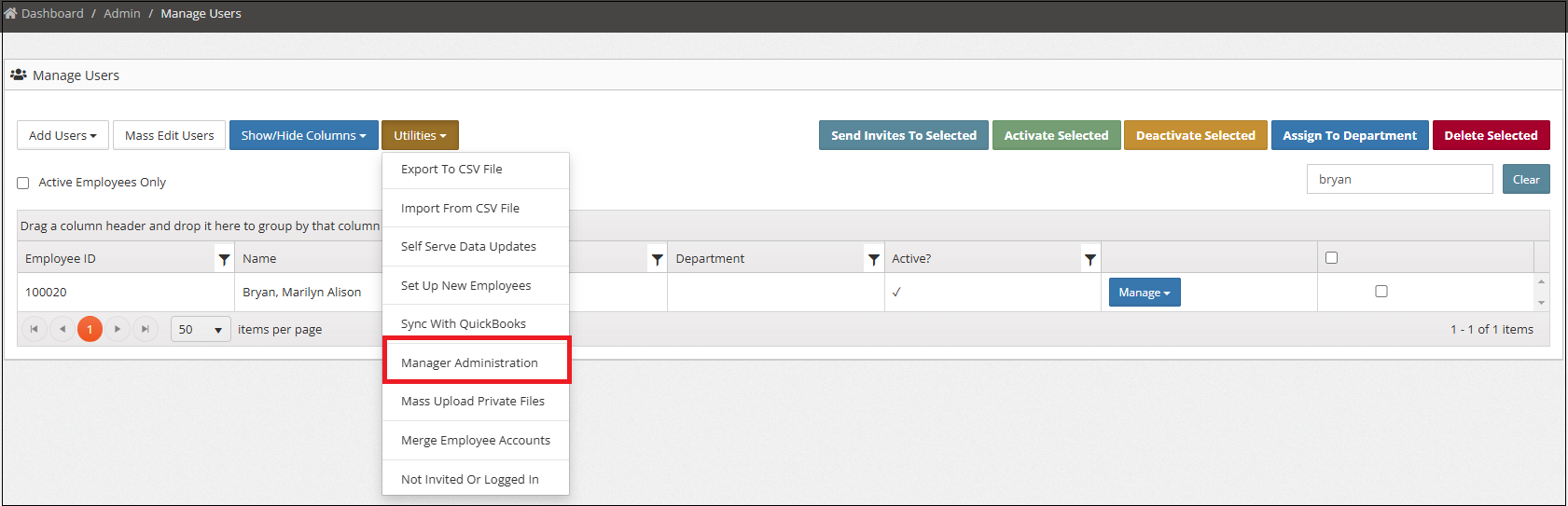
2. Navigate to the manage users page (Admin -> Manage Users).
3. Under Utilites, click ‘Manager Administration’.
4. Click ‘Modify Managed Departments’ to add departments the Manager can manage.
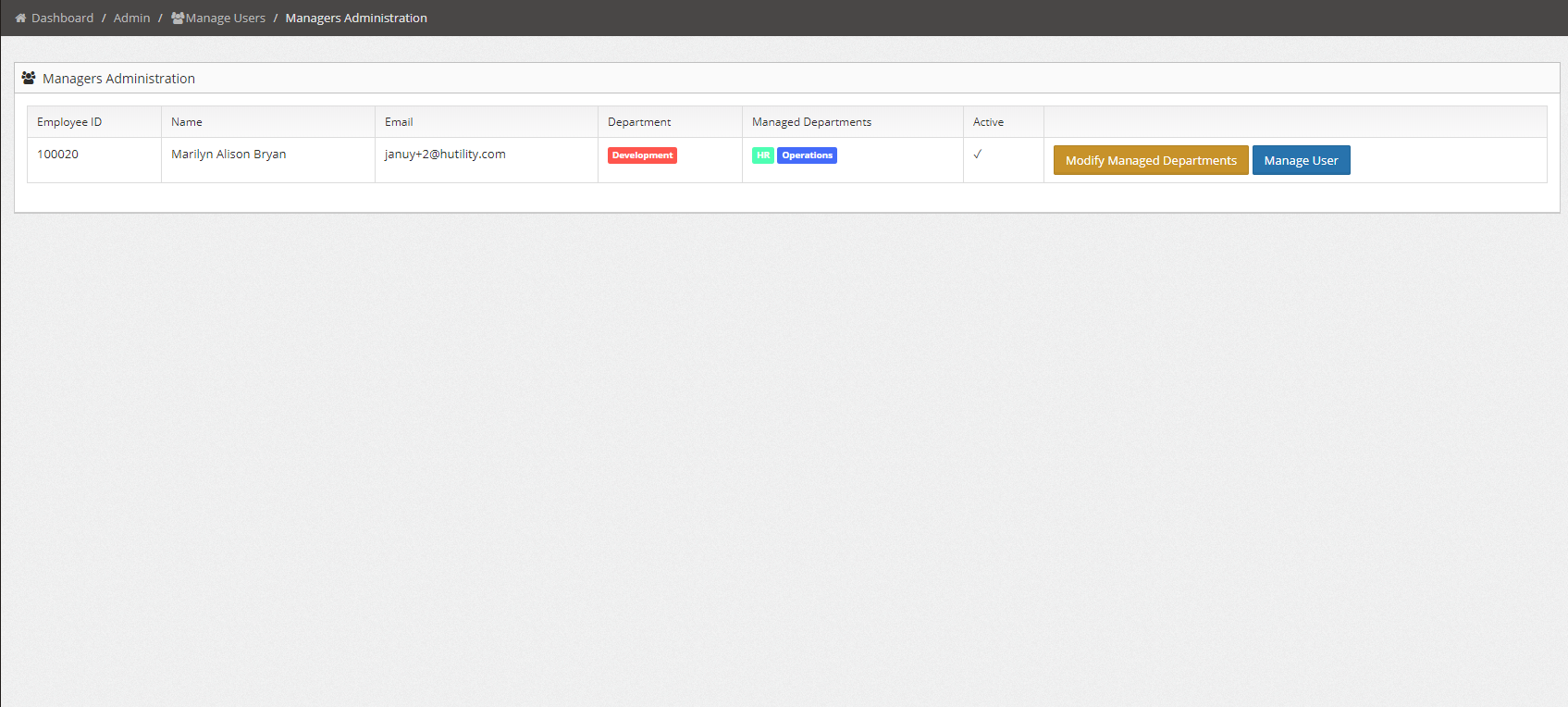
5. Select the department/s to manage and click ‘Save Managed Departments’.
