How to Enter Employee’s SSN/SIN
SSNs/SINs are required when uploading tax forms. This information is used to link tax forms with employees.
Here are the 3 ways to add this information:
1. Via CSV Import
a. Create an Employee CSV Import file with SSN.
b. Import file at Admin > Utilities > Import Employees.
Sample format:

2. Individually Entering
a. Go to Admin > Manage Users.
b. Click Manage of the record you wish to edit.
c. Click Manage User
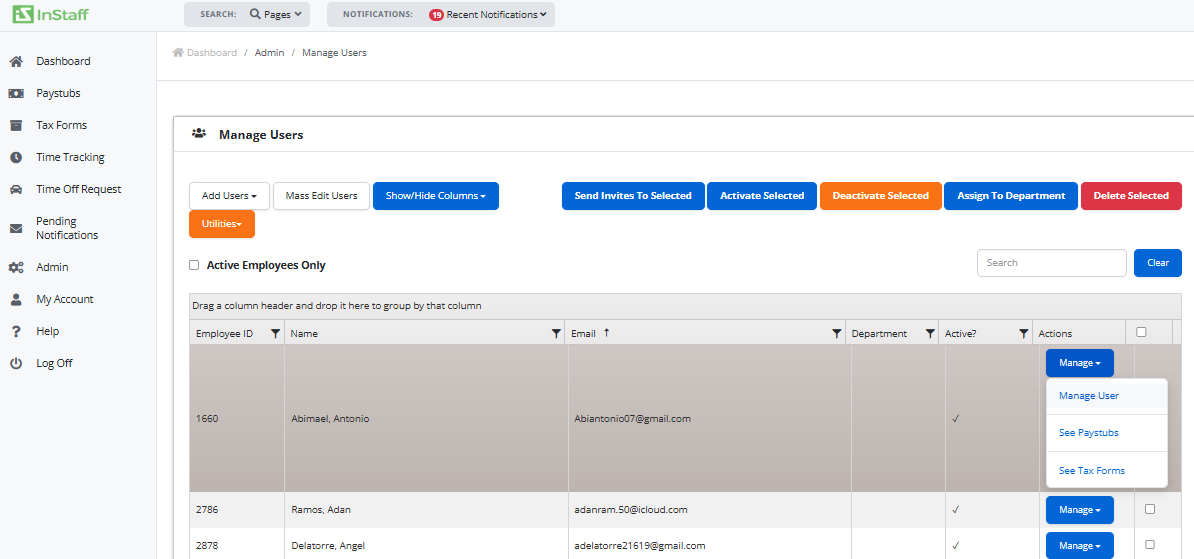
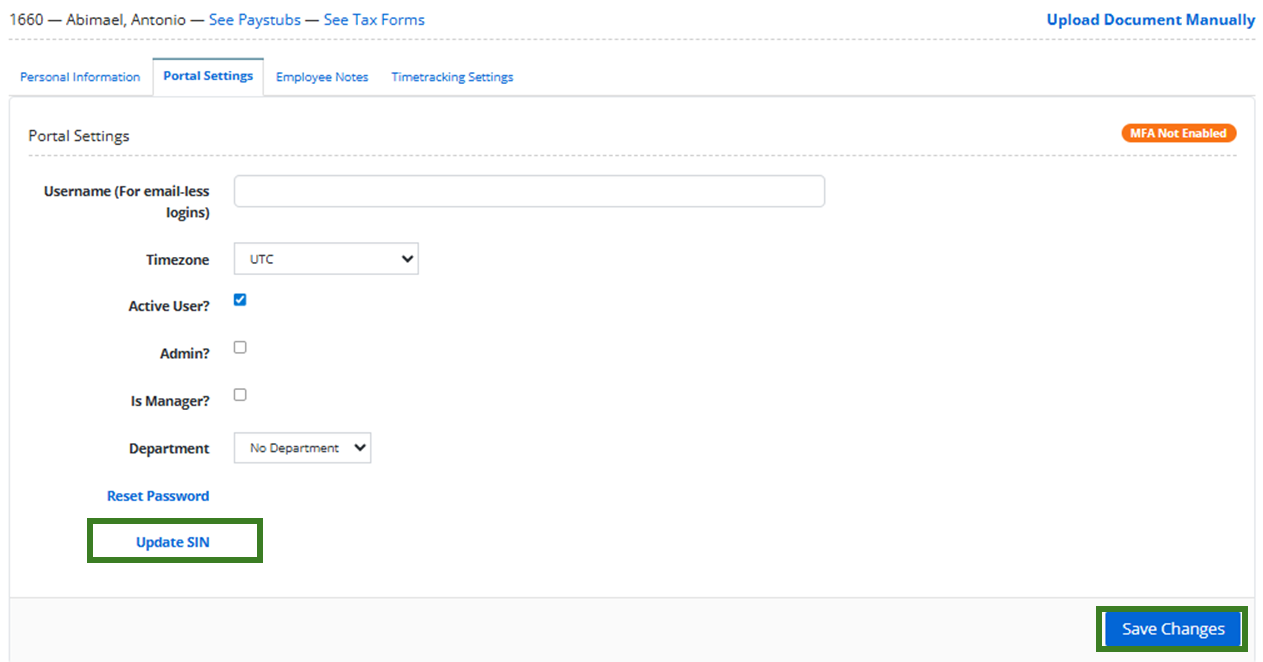
d. Go to Portal Settings
e. Click the Update SIN and update the information.
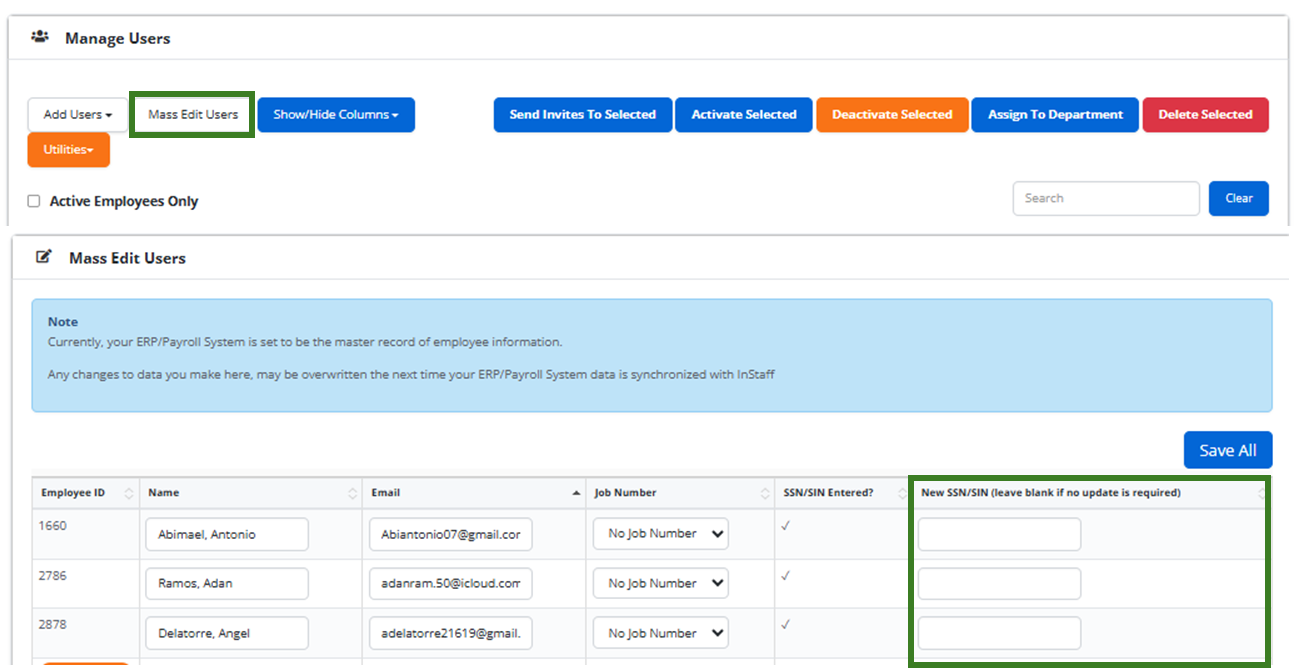
3. Mass Edit Users
Go to Admin > Manage Users and Click ‘Mass Edit Users’.