
How to Upload Pay Stubs or Tax Forms Manually
1. Log in to the portal.
2. Navigate to Admin > Manage Users.
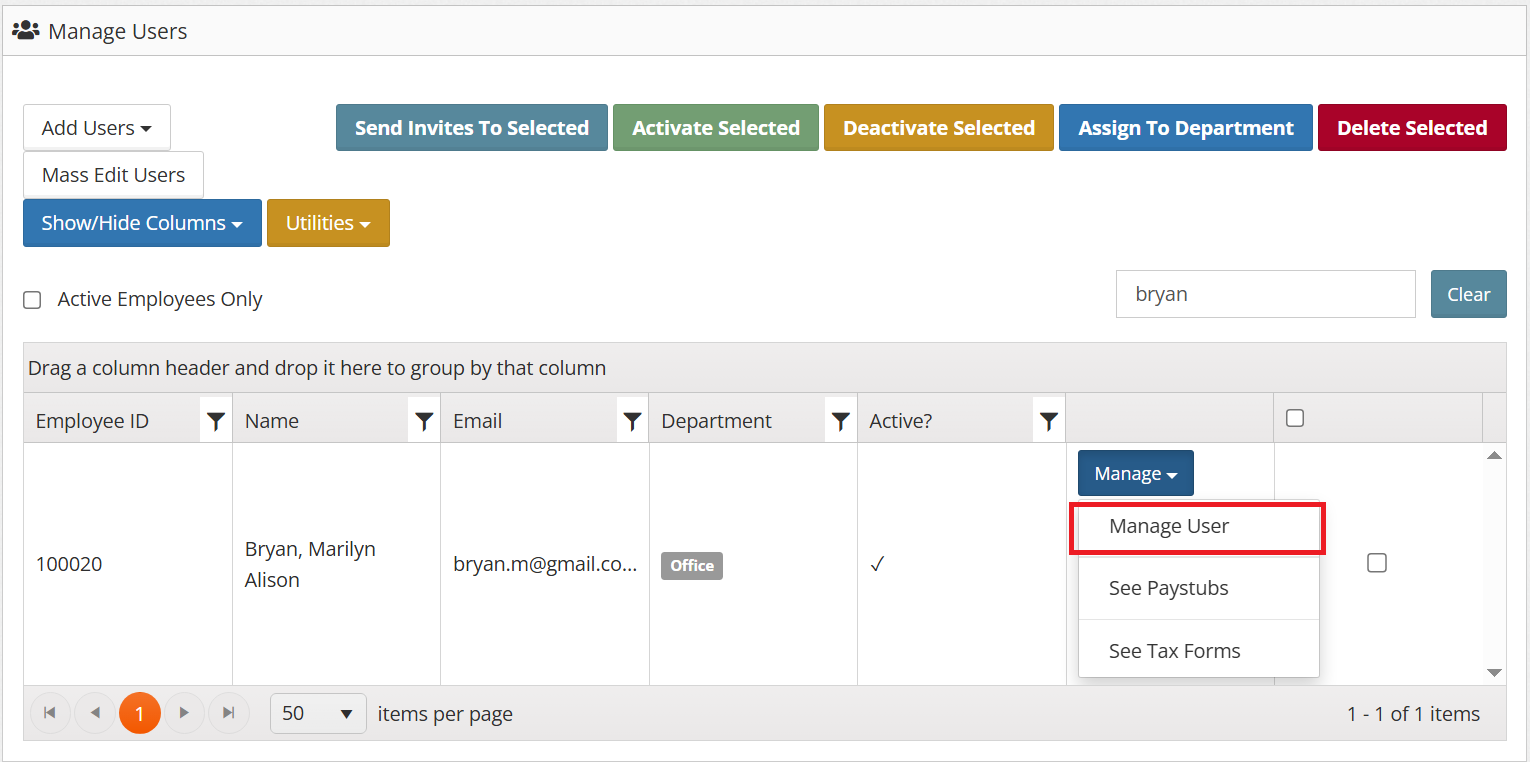
3. Search for the employee to whom you would like to manually upload the document.
4. Click ‘Manage’ then ‘Manage Users.
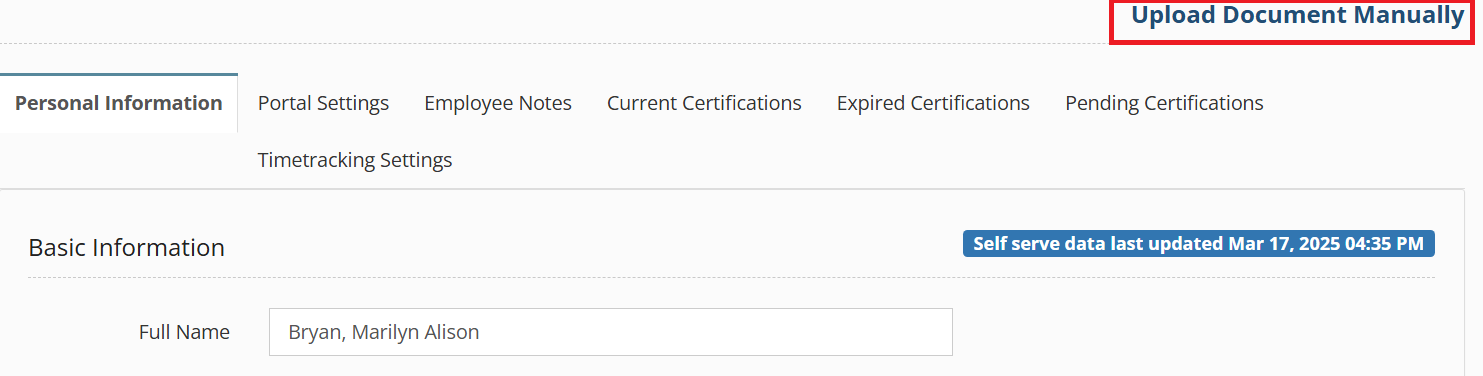
5. Click the ‘Upload Document Manually’ link.
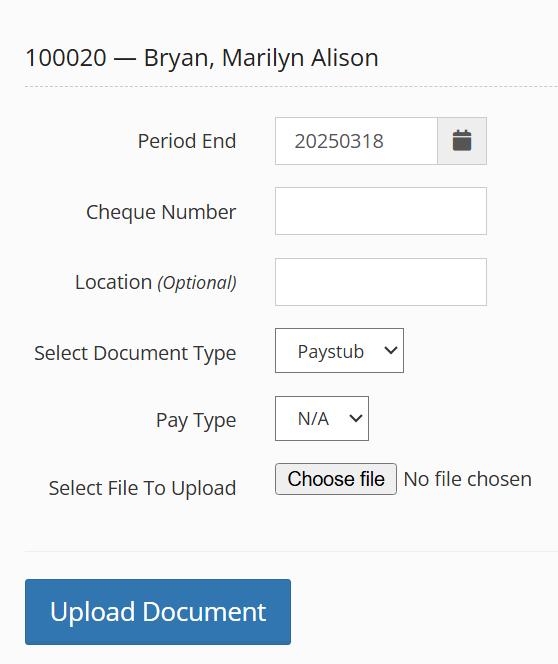
6. Fill in the form.
Please note:
For tax forms:
- Period End is the end of the year (e.g., 20241231)
- Cheque Number refers to the tax form year.
- Pay Type includes T4, W2, 1095-C, 1099-NEC, etc.
7. Click ‘Upload Document’.