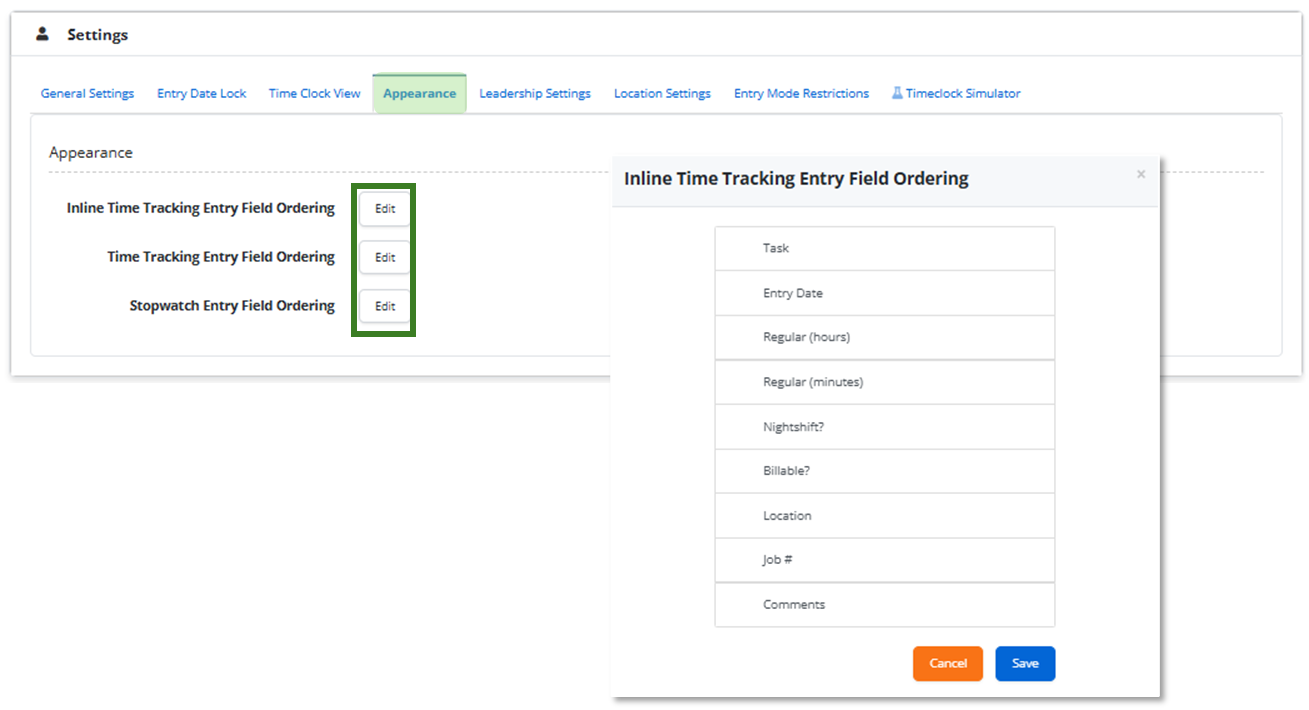
Rearranging Columns in Time Tracking Forms, Inline Entries, and Stopwatch
This guide explains how to rearrange columns in Time Tracking forms, Inline Entries, and the Stopwatch, allowing you to organize the view according to your preference.
- Log in to your portal (e.g., yourcompany.instaff.org) as an Administrator.
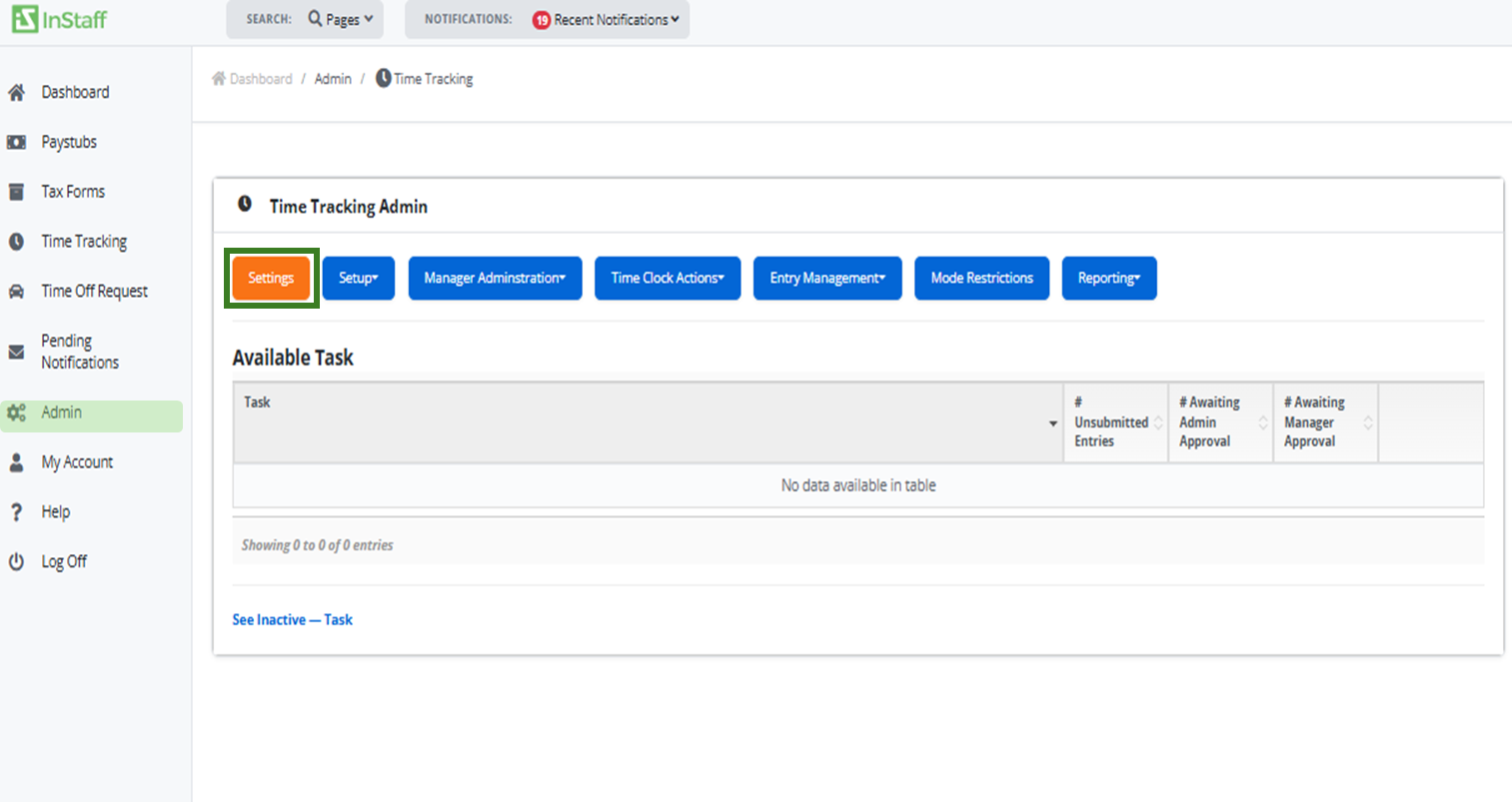
- From the left-hand menu, go to Admin, then select Time Tracking.
-
Click the Settings button.
- Go to Appearance Tab.
- Click the Edit button for the Time Tracking Entry Mode you want to modify.
- You can drag the field names up or down to arrange them according to your preference.
-
Click Save to keep your changes or Cancel to close the pop-up without saving.