Setup your Time Tracking Managers
Time Tracking Managers can view, approve, reject, split, and update time entries.
How to Add manager
- Log in as Administrator.
- Go to Admin > Time Tracking.
-
Click the Timetracking Managers button.

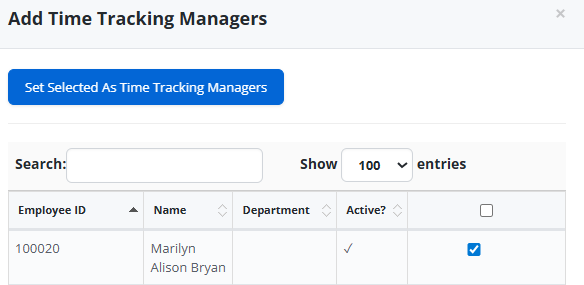
- Click Add Managers button.
- Search for the Employee.
- Select the employee record.
-
Click Set Selected As Time Tracking Managers button.
How to Remove Manager
- Log in as Administrator.
- Go to Admin > Time Tracking.
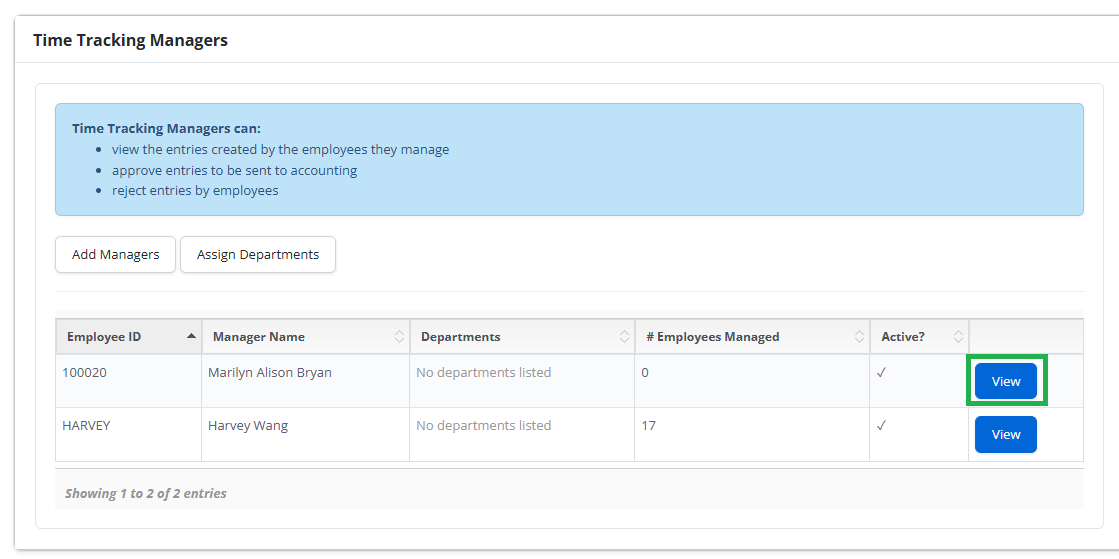
- Click the Time Tracking Managers Button.
-
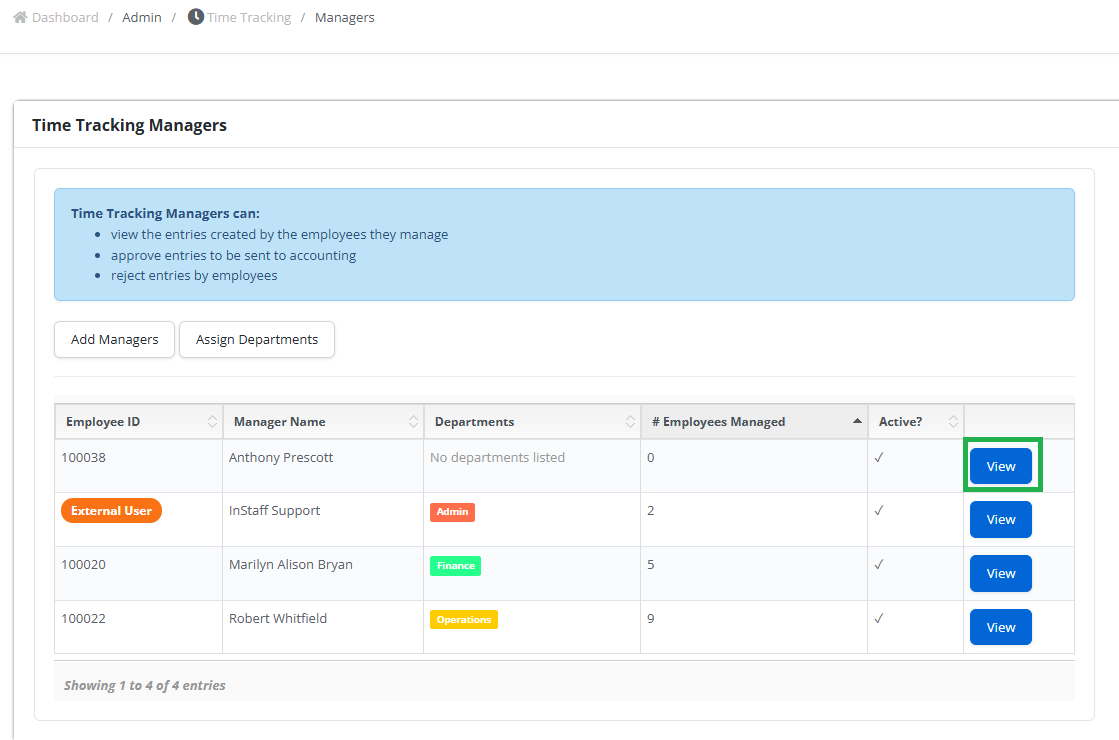
Click the View button of the Manager record.
-
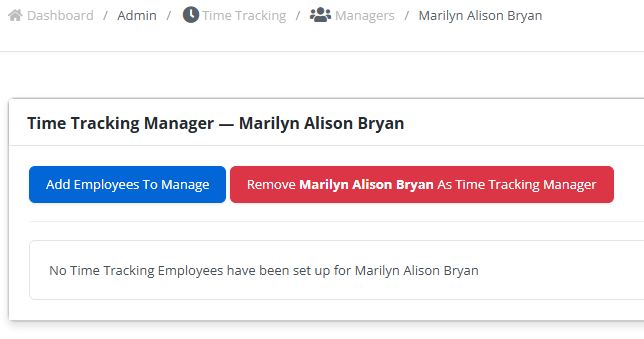
Click Remove [Manager’s Name] As Time Tracking Manager button.
Assigning Employees to a Manager
- Log in as Administrator.
- Go to Admin > Time Tracking
- Click the Timetracking Managers button.
- Click the View Button of the Manager Record.
-
Click Add Employees To Manage button.
- Search for the employee to add.
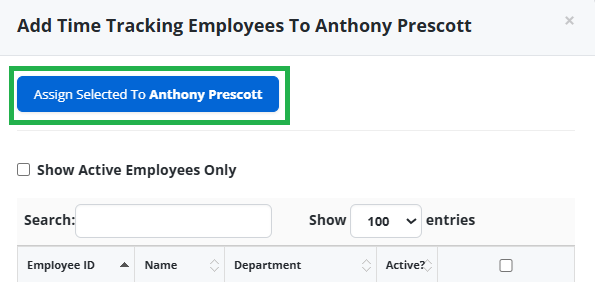
- Select the record by ticking the box.
-
Click Assign Selected To [Manager’s Name] button.
Removing Employees from a Manager’s List
- Log in as Administrator.
- Go to Admin > Time Tracking
- Click the Timetracking Managers button.
- Click the View Button of the Manager Record.
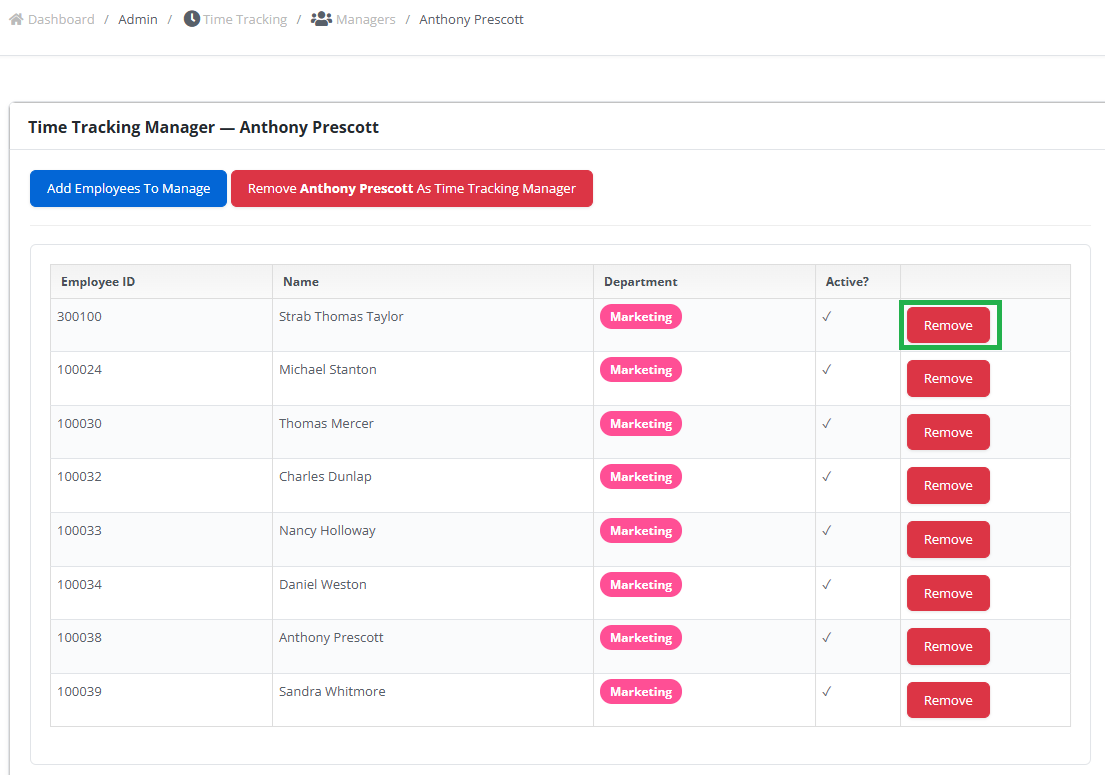
- Click the Remove button of the employee.