
Time Clock: How to Set up Time Clock Pin
To use this feature, please ensure that the setup below is completed. Please note that you must log in as an admin.
Setup Employees
- Must have an Employee ID.
- Status must be Active.
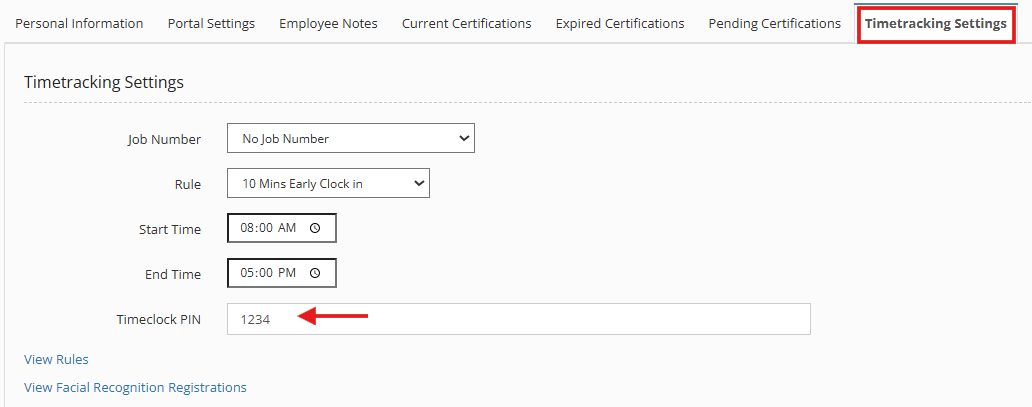
- Timeclock PIN must be entered.
All these settings are configured in the:
- Admin > Manage Users.
- Click the Manage Button of the Employee record.
- Click Manager User.

4. Navigate to Timetracking Settings Tab Menu.
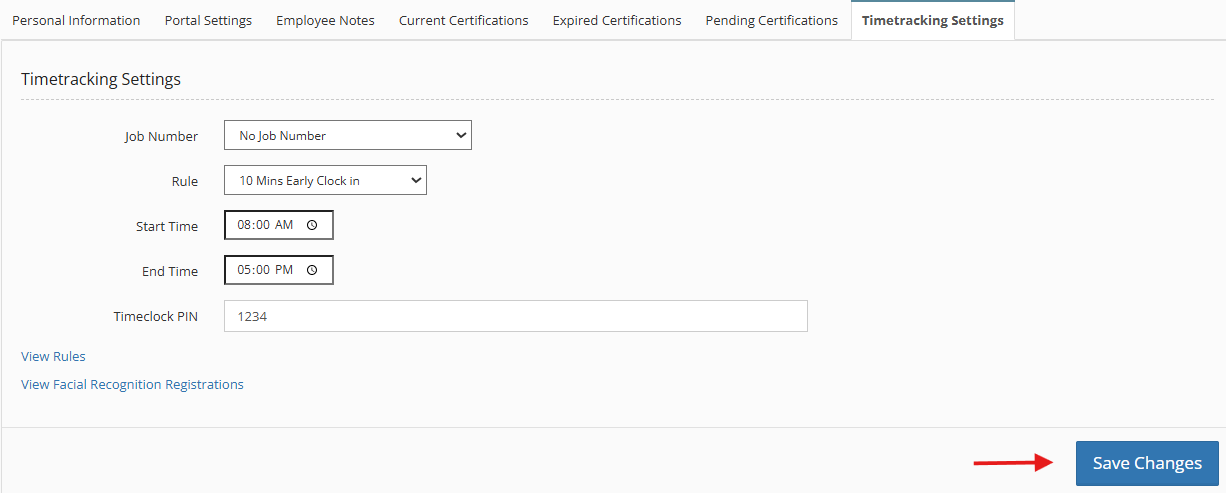
5. Click Save Changes.
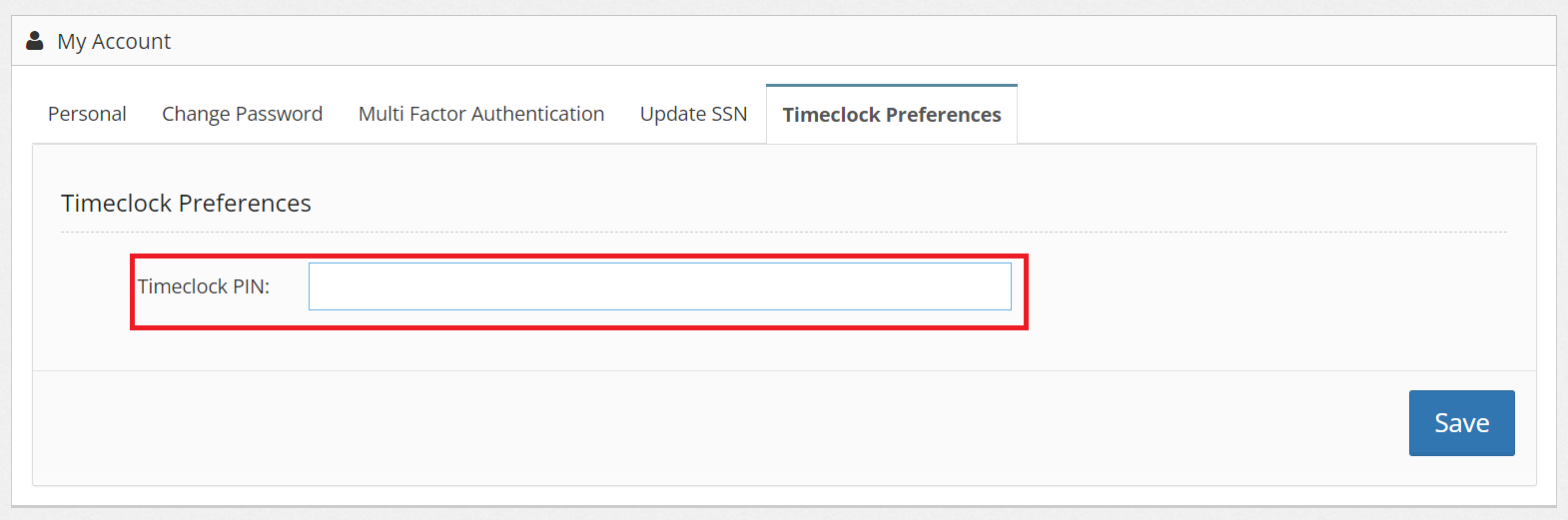
** Employees can set their Time Clock PIN through
My Account > Timeclock Preferences
You can also check:
Assign or Unassign a Task to an Employee
Launching the Time Clock Terminal Screen
Timetracking Editor (Modify Clock In/Clock Out Time)
Auto Clock Out Set Up
How to Set Custom Time Clock Rules for Employees